On this page
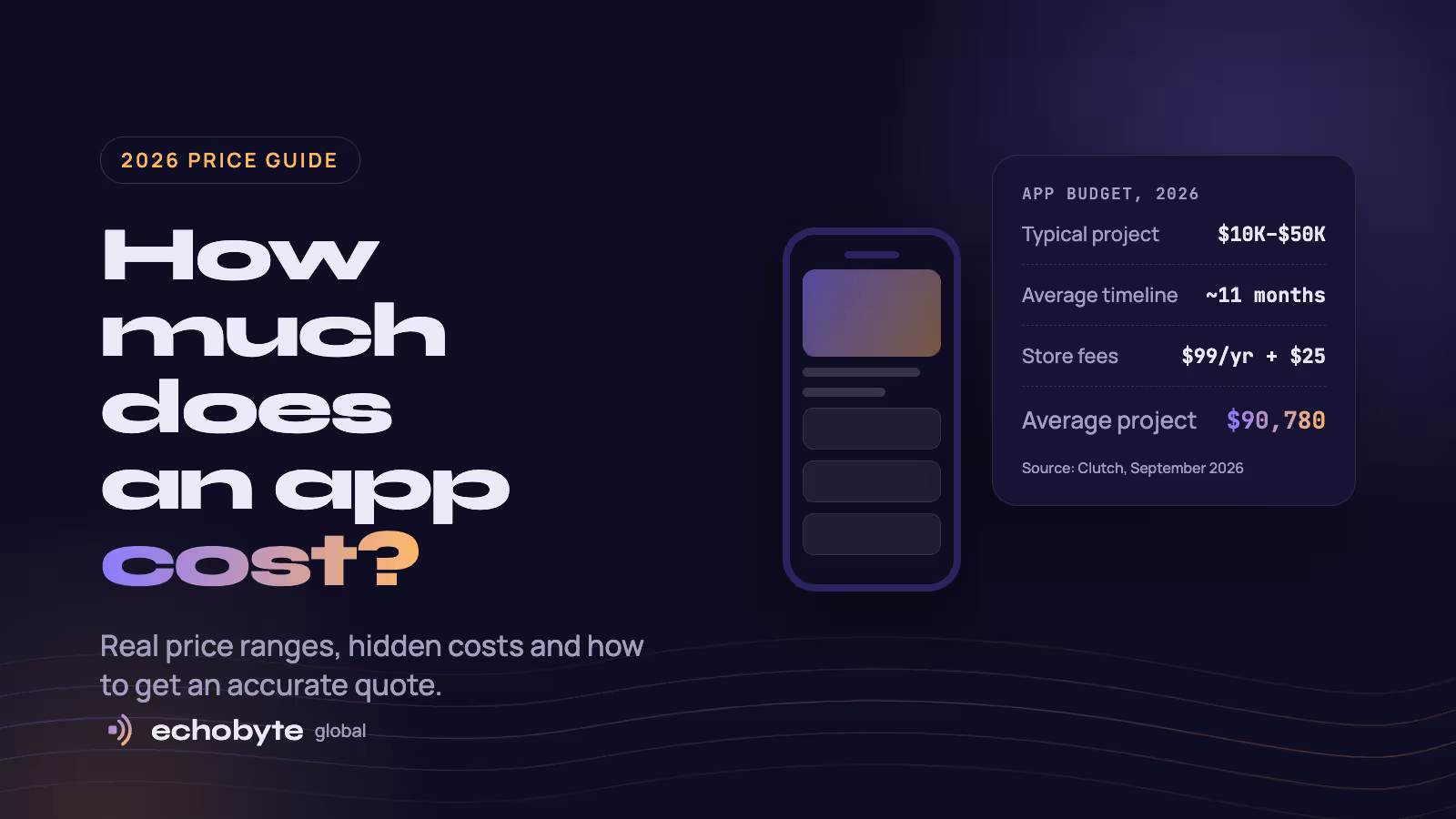
Most app development cost between $10,000 and $49,999, but the average is much higher: about $90,780 over roughly 11 months. That’s according to Clutch’s 2026 app pricing guide, based on verified client reviews. A focused first version sits at the lower end; an app with payments, real-time features and an admin dashboard on both iPhone and Android moves toward the average and beyond.
The honest answer to “how much does an app cost?” is that you’re paying for hours, and the hours come from your feature list. This guide breaks down what each budget typically buys, what drives app development cost up, the ongoing costs most people forget, and how to get an accurate quote.
App development cost by budget
Clutch groups app projects into four price bands. Here’s what each band typically buys, based on our experience scoping projects. Exact timelines depend on your feature list and team size.
| Budget | What it usually buys | Typical timeline |
|---|---|---|
| Under $10,000 | A clickable prototype or a very simple app with a few screens and no custom backend | 4 to 8 weeks |
| $10,000 to $49,999 | A minimum viable product: sign-up, the core feature set and a basic admin panel, often built once for both iPhone and Android | 2 to 4 months |
| $50,000 to $199,999 | A full product: polished design, payments, integrations, notifications and a proper admin dashboard | 4 to 9 months |
| $200,000 and up | Complex or regulated apps: real-time features, heavy integrations, healthcare or finance compliance, large scale | 9 months or more |
Most founders should start in the second band. A focused first version gets real users sooner and tells you what’s worth building next, before you spend the rest of your budget.
What drives app development cost?
Developers charge for time, so anything that adds hours adds cost. Five factors decide how many hours your app needs.
- Features. This is the biggest factor. Real-time updates, location tracking, chat, video, payments and complex logic each add weeks of work.
- Platforms. Building separate native apps for iPhone and Android roughly doubles the price, because each needs its own code, according to Clutch. A cross-platform framework such as React Native or Flutter builds both from one codebase.
- Design. An app built on standard interface patterns costs far less than one with custom animations and illustrations on every screen.
- Backend and integrations. Most apps need a server, a database and an admin panel, plus connections to services like payment gateways, CRMs or maps. This work is invisible to users, and in our experience it’s often a third of the build.
- Who builds it. Rates vary widely by country and experience. Clutch’s directory data shows typical hourly rates like these:
| Where the team is based | Typical hourly rate on Clutch |
|---|---|
| India | Under $25 |
| United States, Mexico, Spain, Ukraine, the Philippines | $25 to $49 |
| Canada, Poland | $50 to $99 |
| Australia | $100 to $149 |
These are typical rates for firms reviewed on Clutch. Established agencies with long track records often charge more, and Clutch lists many firms above $50 or even $200 an hour.
The ongoing costs most people forget
Launching is the start of your app’s costs, not the end. Budget for these from day one:
- App store accounts. Apple’s Developer Program costs $99 a year, and a Google Play developer account has a one-time $25 fee.
- Hosting and backend services. Servers, databases and file storage are billed monthly and grow with your users.
- Third-party services. Maps, SMS codes, email, push notifications and payment processing usually charge per use or per transaction.
- Maintenance and updates. Apple and Google release new operating system versions every year, and apps need testing, fixes and rebuilds to keep working. A common rule of thumb is to budget 15% to 20% of the original build cost per year.
- Marketing. An app nobody finds earns nothing. Plan for app store optimization, a launch campaign and ongoing ads or content.
How to lower your app development cost without cutting quality
The cheapest app is the one that only builds what users need. These five habits save the most money on the projects we run.
- Start with a minimum viable product. List every feature, then keep only those your first users can’t do without. Launch, learn, and build the rest with real data.
- Build once for both platforms. Unless your app depends on heavy graphics or special hardware, a single React Native or Flutter codebase avoids paying for two separate apps.
- Use proven services instead of custom code. Services such as Firebase, Supabase and Stripe handle sign-in, databases and payments, so your budget goes on what makes your app different.
- Prototype before you code. Clicking through designs in Figma reveals problems for the cost of a few design hours instead of weeks of rework.
- Agree a fixed price per phase. Fixed quotes for each stage, with weekly demos, stop small changes from quietly growing the bill.
How to get an accurate app development quote
A quote is only as accurate as the brief behind it. Send developers these seven things and you’ll get comparable, realistic numbers:
- The problem your app solves and who it’s for, in one paragraph
- Must-have features for the first version, listed separately from nice-to-haves
- Platforms: iPhone, Android, web, or a mix
- Systems it must connect to, such as payments, a CRM or your existing website
- Whether you already have designs or need them made
- Your deadline and a rough budget range
- Two or three apps you like, and what you like about them
Watch for these red flags when quotes come back:
- A price with no questions. A serious team asks about your users and features before naming a number.
- Open-ended hourly billing. Hourly work is fine, but it should come with an estimate and a cap.
- No mention of testing, store submission or maintenance. These are real costs; leaving them out makes a quote look cheaper than it is.
- Unclear ownership. You should own the code, designs and app store accounts once you’ve paid.
App development cost FAQ
How much does a simple app cost?
A clickable prototype or very simple app can come in under $10,000. A real first version with sign-up, core features and an admin panel usually falls between $10,000 and $49,999, which is where most projects on Clutch land.
How much does it cost to build an app like Uber or Instagram?
The apps themselves took large teams years to build. A first version of a similar idea costs far less if you limit it to the one core journey, such as booking a ride, and add the rest once people use it.
Is it cheaper to build for iPhone or Android?
Neither. Clutch’s data shows developers charge the same rates for both. What changes the price is how many platforms you build for, and a cross-platform app covers both for much less than two native apps.
How long does it take to build an app?
Clutch reports an average project length of about 11 months. A focused first version usually takes 2 to 4 months.
Can I build an app for free with no-code or AI tools?
You can build a prototype or a simple internal tool that way, and it’s a good way to test an idea. For a product customers pay for, check the limits on performance, custom features and owning your code before you commit.
How much does app maintenance cost per year?
A common rule of thumb is 15% to 20% of the original build cost each year, covering updates for new iOS and Android versions, fixes and security.
Planning an app? We build iPhone and Android apps from a single codebase, starting with a focused first version, and every project begins with a free discovery call and a fixed quote.