On this page
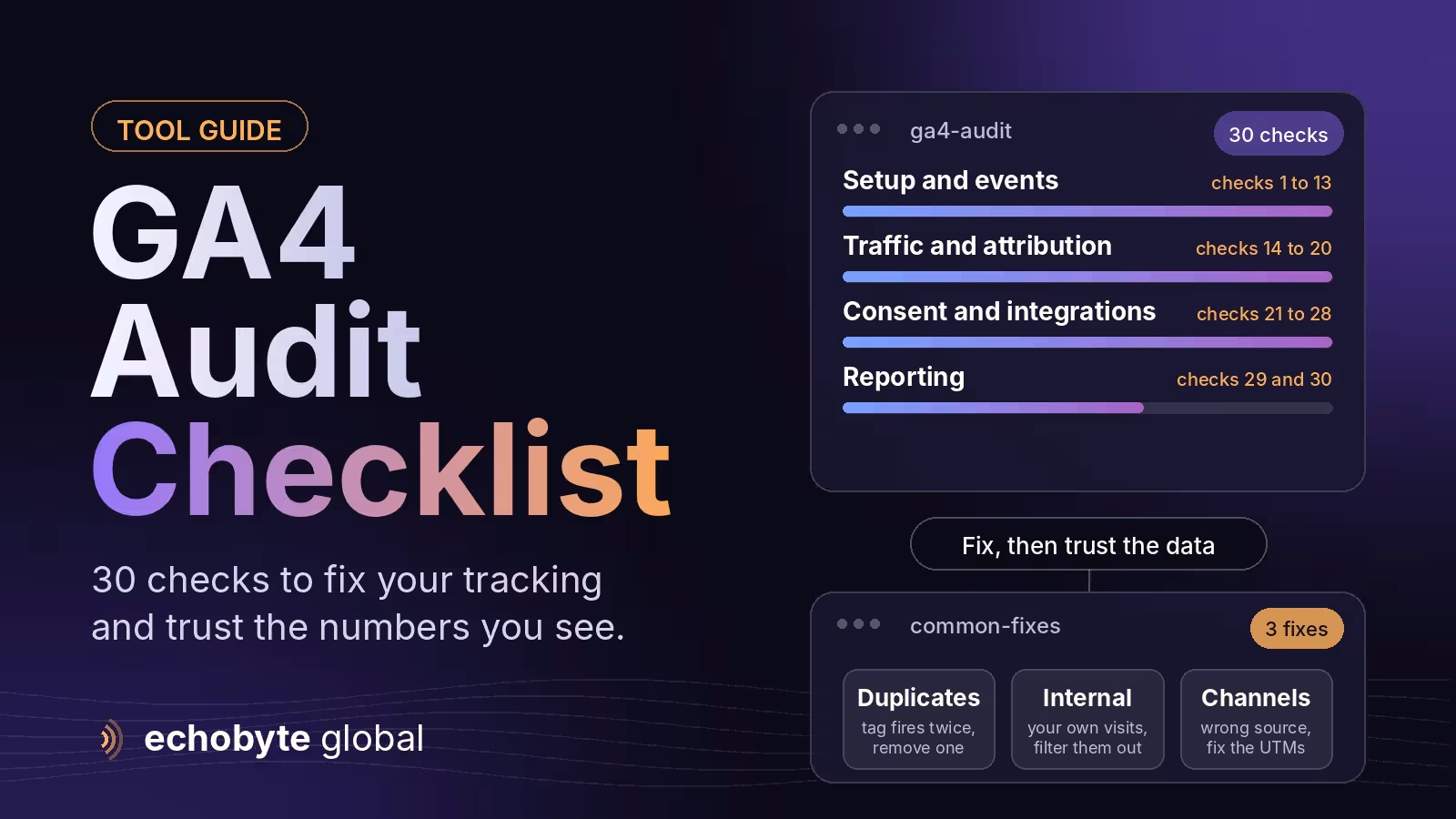
GA4 audit is a Best systematic check of your Google Analytics 4 setup to confirm that it collects the right data, once, with the right settings, so you can trust your reports. The most common problems are the tag firing twice, events and key events that don’t match your goals, your own visits counted as customers, missing consent signals, broken ecommerce data and traffic filed under the wrong channel. This guide gives you a 30-point checklist in six groups, a table of common problems and fixes, and an honest note on how accurate GA4 can be.
You can run it in roughly 90 minutes on a typical small site. It completely assumes you have Editor access to the GA4 audit property and, if you use it, to Google Tag Manager. Information was checked in November 2026. Google changes GA4’s menus and limits often, so confirm details in Google’s current documentation.
Key takeaways
- Audit before you analyze. Reports built on duplicate, missing or unfiltered data lead to wrong decisions.
- Check the basics first: one tag, one property, correct time zone and currency, and event data retention set to 14 months.
- Mark only meaningful actions as key events, such as form submissions, calls, sign-ups and purchases.
- Exclude your own traffic, add unwanted referrals and check cross-domain journeys.
- Test consent and compare GA4 with another source such as your CRM or orders. Expect a gap, and track trends, not exact numbers.
What should a GA4 audit cover?
Six areas: setup, events, traffic and attribution, consent and privacy, integrations and data quality, and reporting. The checklist below walks through each in order.
The 30-point GA4 audit checklist

Setup (checks 1 to 6)
- Confirm the right property and access. Use one production property per business, a separate test property if you need one, and sensible user roles.
- Check the measurement ID on every page and subdomain. Look for pages that are missing the tag or use an old ID.
- Make sure the tag fires once. A common mistake is having both a hard-coded gtag snippet and a Tag Manager tag, which double-counts page views.
- Set the time zone and currency. Wrong settings distort daily reports and revenue.
- Set event data retention to 14 months. The default is shorter, and it limits explorations. Change it in the property’s data settings.
- Review data collection settings. Check Google signals and data-sharing options against your privacy policy.
Events and key events (checks 7 to 13)
- List the questions you need answered. Then list the events you collect. Gaps and unused events both show up.
- Review enhanced measurement. Check which automatic events are on, such as scrolls, outbound clicks, site search, file downloads, video engagement and form interactions, and turn off any that create noise.
- Mark only meaningful events as key events. Examples are form submissions, calls, sign-ups and purchases. Too many key events make conversion reports useless.
- Check event naming. Use consistent, lowercase names without spaces, and never send personal data such as names or emails in event parameters.
- Register custom dimensions and metrics you use so they appear in reports.
- Check ecommerce events. The usual set is view item, add to cart, begin checkout and purchase, with a transaction ID, value and currency on the purchase.
- Test for duplicate or missing events. Use DebugView to run a test lead and a test purchase, and confirm each fires once.
Traffic and attribution (checks 14 to 20)
- Define and filter internal traffic. Add your office and developer IP addresses, then activate the data filter so your visits don’t inflate results.
- Add unwanted referrals. Exclude payment gateways, booking tools and your own other domains so they don’t take credit for sessions.
- Check cross-domain measurement. If checkout or booking happens on another domain, set it up so one visit isn’t split into two.
- Review UTM conventions and channel grouping. Look for traffic labeled unassigned or direct that should be something else.
- Create a view of AI assistant traffic. Group referrals from sources such as chatgpt.com, perplexity.ai, gemini.google.com, copilot.microsoft.com and claude.ai, so you can see them separately. Our guide on whether SEO is dead explains why this matters.
- Check paid links. Confirm auto-tagging in Google Ads and consistent UTMs for email and social campaigns.
- Review attribution settings and reporting identity. Know which model your reports use, and keep it consistent when you compare periods.
Consent and privacy (checks 21 to 24)
- Verify your consent banner and consent signals. See our Google Consent Mode v2 guide.
- Test accept and reject. Confirm tags behave as expected in both cases, using the debug tools.
- Check for personal data. Look for emails, names or phone numbers in page URLs, titles and event parameters, and fix the source.
- Review your privacy policy. It should describe your analytics and advertising tools accurately.
Integrations and data quality (checks 25 to 28)
- Link Search Console and Google Ads. Add Merchant Center if you sell products.
- Decide whether you need BigQuery export. It gives raw data and flexibility, and standard properties have a daily export limit, so check Google’s current figure.
- Look for thresholds, sampling and the “other” row. High-cardinality dimensions and privacy thresholds can hide data in key reports.
- Compare GA4 with another source. Check form leads against your CRM, orders against your store, and ad clicks against your ad platform, and note the acceptable gap.
Reporting and maintenance (checks 29 and 30)
- Build a small set of reports tied to your goals. Remove unused explorations and dashboards so people know which numbers to trust.
- Keep a change log and audit every quarter. Record tag, setting and event changes, with dates and owners.
What are the most common GA4 problems and how do you fix them?
| Problem | Symptom | Fix |
|---|---|---|
| Double counting | Page views or leads nearly doubled | Remove the duplicate tag, keeping either gtag or Tag Manager |
| Internal traffic | Odd spikes from your own location | Define internal traffic and activate the filter |
| Missing key events | Forms or calls not recorded | Create the events, test with DebugView and mark them as key events |
| Wrong channels | Large unassigned or direct share | Fix UTMs, auto-tagging and referral exclusions |
| Ecommerce mismatch | GA4 revenue differs from the store | Check transaction IDs, tax and shipping handling, refunds and duplicate purchase events |
| Cross-domain breaks | A visit splits when users reach checkout | Configure cross-domain measurement |
| Consent gaps | Sudden drop in data after adding a banner | Test consent signals and confirm tags fire correctly after consent |
How accurate can GA4 be?
Never perfect. is not Consent choices, ad blockers, browser privacy features and cross-device behavior all create gaps, and GA4 audit applies privacy thresholds and modeling in places. Aim for consistent, well-configured data, compare trends over time, and cross-check important numbers against your CRM, store or ad platform. If a number matters for a big decision, find a second source for it that is GA4 audit.
How do you run the audit in about 90 minutes?
- Minutes 0 to 15: Check property access, the tag, time zone, currency and retention.
- Minutes 15 to 40: Review events and key events, then test a lead and a purchase in DebugView.
- Minutes 40 to 60: Check internal traffic, referrals, channels and UTMs.
- Minutes 60 to 75: Test consent, accept and reject.
- Minutes 75 to 90: Review integrations, compare with another source and write your fix list, ordered by business impact.
How can Echobyte help?
Our analytics service sets up and audits GA4 audit Tag Manager and consent, starting from $800 per project. Our website audit checklist covers the wider site, and our Google Ads management pricing guide explains how analytics connects to paid campaigns. See our pricing page for starting prices.
GA4 audit FAQ
What is a GA4 audit?
It is a structured check of your Google Analytics 4 property, tags, events, filters, consent and integrations to confirm your data is complete and accurate.
How often should I audit GA4?
At least quarterly, and after any site change, redesign, new campaign or tag update.
How do I check if GA4 is double counting?
Look for page views that are roughly doubled, and check whether both a hard-coded gtag snippet and a Tag Manager tag are active. Use DebugView to see whether each event fires more than once.
What is the difference between events and key events?
Events record user actions. Key events are the subset you mark as important to your business, such as form submissions or purchases. Google renamed conversions to key events in 2024.
How do I stop my own visits from showing in GA4?
Define internal traffic using your IP addresses, then create and activate a data filter for it.
Why doesn’t GA4 match my CRM or store?
Consent choices, ad blockers, attribution differences, refunds and timing all create gaps. Check for duplicates and missing events first, then accept a stable, explainable difference.
Can I audit GA4 myself?
Yes, if you have Editor access and follow a checklist like this one. For ecommerce, server-side tracking or complex consent setups, expert help can save time & that is called GA4.
Want a trusted second opinion on your tracking? We audit your GA4, tags and consent together, and every project starts with a free discovery call.