On this page
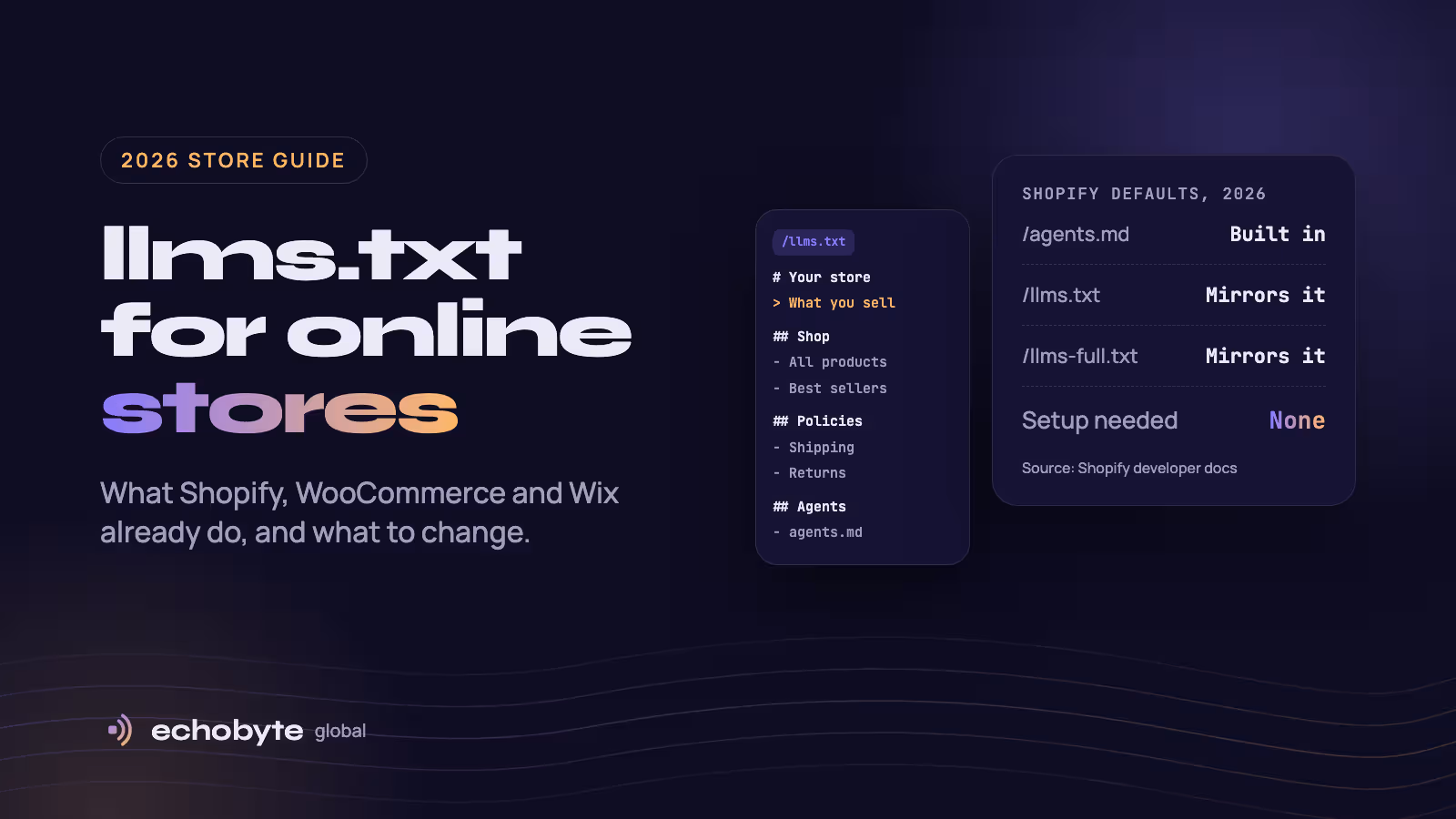
If your store runs on Shopify, it already publishes an llms.txt file, and you didn’t have to write it. Shopify’s developer changelog of May 28, 2026 says every store includes a default agents.md file, and that /llms.txt and /llms-full.txt point to the same content unless you replace them. On WordPress and Wix, the file usually comes from a plugin or a built-in setting instead.
That leaves store owners with three questions: what is in the file, should you change it, and does it affect sales? This guide answers them using Shopify’s documentation and the default file served by two well-known Shopify stores. It is a companion to our general guide, What Is llms.txt?, which covers the basics.
What does Shopify’s default llms.txt file contain?
It is a set of instructions for AI shopping agents, not a summary of what you sell. On October 22, 2026 we opened allbirds.com/llms.txt and skullcandy.com/llms.txt. Apart from the brand name, domain and policy links, the two files were identical. Each ends by saying that /llms.txt mirrors /agents.md.
The file doesn’t follow the llmstxt.org format we describe in our llms.txt guide. It has no short summary and no list of collections or products. Instead it has these sections:
| Section | What it tells an AI |
|---|---|
| Shop skill | Recommends Shopify’s Shop skill for personalized discovery, carts and checkout |
| UCP integration | Where to find the store’s Universal Commerce Protocol profile and its MCP endpoint |
| Interaction guidelines | Buyers must approve purchases, agents must identify themselves, and rate limits apply |
| Read-only browsing | Where to find the sitemap, product pages and collections |
| Store policies | Links to the privacy, terms, refund and shipping pages |
| Platform | States the store is built on Shopify and links to Shopify’s sites and its sign-up page |
Two details stand out. First, neither file says what the store sells. An AI that read only the file would learn the brand name, the policies and how to shop, but not what is in the catalog. Second, the closing section sends readers to Shopify’s own sites and invites them to start a store of their own, on your domain.
Shopify also leaves contact details out on purpose. Its documentation warns merchants not to add emails or phone numbers to these files, because the file is cached widely and served to every agent that asks.
How Shopify’s three files fit together
agents.md is the main file. /llms.txt and /llms-full.txt are copies of it until you override them. Shopify’s agents.md.liquid documentation lists the order it checks for each URL:
| URL | Shopify uses the first one it finds |
|---|---|
/agents.md | agents.md.liquid, then the Shopify default |
/llms.txt | llms.txt.liquid, then agents.md.liquid, then the Shopify default |
/llms-full.txt | llms-full.txt.liquid, then agents.md.liquid, then the Shopify default |
In practice, adding only agents.md.liquid changes all three URLs. Adding only llms.txt.liquid changes /llms.txt and leaves the other two alone. The agents.md file is also served from your bare primary domain, without a market or language prefix, and it has no localized version.
Should you edit Shopify’s default file?
Usually not. Shopify says the managed default is all most stores need, and that it stays in step with Shopify’s agent features without any theme maintenance. Once you add your own template, you are responsible for keeping it current.
Opinions differ. Shero Commerce, a Shopify agency, argues you should replace the default because it steers agents toward Shopify’s shopping layer rather than your store. Shopify’s own advice is to leave it unless you have a specific need. Here is how we would decide:
| Leave the default if | Customize /llms.txt if |
|---|---|
| You want a working file with no upkeep | You want AI tools to know what you sell and who it’s for |
| You rely on Shopify’s built-in agent checkout | You want a short, curated list of your best collections |
| Nobody on your team will update it | You want /llms.txt to describe your brand rather than Shopify |
If you customize, change only /llms.txt and leave /agents.md alone. The agents.md file is the part Shopify wires to its agent shopping features. A dedicated llms.txt.liquid template takes precedence for /llms.txt only, so the shopping instructions stay intact.
How to customize llms.txt on Shopify
Draft the content first, because the file is public the moment you save it.
- Write your content. You need one sentence on what you sell, three to eight of your most important collections, and your policy pages.
- Open the theme code. In your Shopify admin, go to Online Store, then Themes, then click the three dots on your theme and choose Edit code.
- Add the template. Right-click the Templates folder, choose New File, and name it exactly
llms.txt.liquid. - Paste your file. Use the template below and replace the examples.
- Check the result. Open
yourstore.com/llms.txtand confirm your version loads. Then openyourstore.com/agents.mdand confirm it is unchanged.
To go back to Shopify’s default at any time, delete the template file. Shopify then falls back to its own version.
liquid
# {{ agents.store_name }}

> One sentence on what you sell and who it is for. Prices are in {{ agents.currency }}.

Two or three plain sentences: what makes your range different, where you ship, and the first thing shoppers usually ask.

## Shop

- [All products]({{ agents.store_url }}/collections/all): The full catalog.
- [Best sellers]({{ agents.store_url }}/collections/best-sellers): Our most popular products.
- [New arrivals]({{ agents.store_url }}/collections/new-arrivals): The latest additions.

## Policies

- [Shipping]({{ agents.store_url }}/policies/shipping-policy): Delivery times and costs.
- [Returns]({{ agents.store_url }}/policies/refund-policy): How returns and refunds work.
- [Privacy]({{ agents.store_url }}/policies/privacy-policy): How we handle customer data.

## For shopping agents

- [agents.md]({{ agents.store_url }}/agents.md): How to browse, build a cart and check out.
- [Sitemap]({{ agents.sitemap_url }}): Every public page.
A few notes on the template:
- Replace the collection handles.
best-sellersandnew-arrivalsare examples, so use the real URLs from your store. - Write store details as plain text. Shopify documents a restricted Liquid context for
agents.md.liquid, where only therequestandagentsobjects work. Theme objects such asshopandcollectionsrender blank there.llms.txt.liquiduses the sameagentsobject, so type your details in rather than relying on theme data. - Leave out private details. Don’t add contact emails or phone numbers.
- Keep it current. When your catalog changes, update the file.
llms.txt on WooCommerce, Wix and other platforms
Shopify is the only major platform we found that creates the file for every store by default. Others rely on plugins, settings or manual setup.
| Platform | Does it have one out of the box? | How to add or edit it |
|---|---|---|
| Shopify | Yes, a default for every store | llms.txt.liquid or agents.md.liquid in your theme |
| WordPress and WooCommerce | Through a plugin | Yoast SEO includes llms.txt management, and other SEO plugins offer similar tools |
| Wix | Generated automatically on eligible sites | Edit, reset or opt out in the SEO dashboard |
| Headless or custom (Next.js, Hydrogen) | No | Add a route that returns plain text, as in our llms.txt guide |
| Other hosted platforms | Not that we found | Host a file where you can, or redirect /llms.txt to one |
A few details on each:
- Wix. Its developer documentation says Wix generates a default file describing the site and how agents can reach live content through Wix’s MCP endpoint. Owners can customize it or reset it. Wix has rolled the feature out in stages, so check your SEO dashboard to see whether you have it.
- Yoast for Shopify. Yoast SEO for Shopify added an opt-in llms.txt feature in March 2026. It rebuilds the file weekly from your best-selling products, largest collections, policies and recent pages. If you turn it on, check what
/llms.txtreturns afterwards. - Other platforms. Shero’s June 2026 audit of five non-Shopify stores found none serving the file. That is a small sample, so check your own store.
Does llms.txt help an online store sell more?
There is no good evidence yet that it does. Google says Search ignores the file. An Ahrefs study of 137,210 sites found that 97% of llms.txt files received no requests in May 2026. Shopify’s file is aimed at shopping agents rather than search crawlers, but we found no public data showing it changes what AI tools recommend.
Treat it as brand control. It gives you a chance to make sure an agent sees an accurate description of your store instead of a generic one.
What matters more: your product data
For AI shopping, product feeds and catalog quality matter more than any text file. The evidence so far:
- OpenAI said on March 24, 2026 that merchants share product feeds and promotions through its Agentic Commerce Protocol. It added that Shopify merchants’ product data already reaches ChatGPT through Shopify Catalog, with no extra work from individual merchants.
- Profound analyzed ChatGPT Shopping prompt runs. In research reported in September 2026, the share of product picks sourced from integrated feeds jumped from 8.26% to 61.54% on July 10, 2026, and was about 65% in early September. This tracked prompt runs, not real purchases.
- Google says Merchant Center feeds and Business Profiles help products and local businesses appear in its AI features.
Here is what to fix first:
- Write specific product titles, such as “Women’s linen shirt, relaxed fit, white”, instead of vague ones.
- Keep price, stock and currency accurate.
- Fill in attributes like size, color and material.
- Collect real customer reviews.
- Make your shipping and returns pages easy to find.
- Let AI search crawlers in, as we explain in our guide to AI search optimization.
How to check what your store serves
Open a terminal and run these two commands, replacing yourstore.com with your domain:
curl -sI https://yourstore.com/llms.txt | head -5
curl -s https://yourstore.com/llms.txt | head -30
The first shows the response status and content type. You want a 200 status and a text or Markdown content type. The second shows the start of the file. Repeat for /agents.md and /llms-full.txt, and check both the www and bare versions of your domain.
Common mistakes to avoid
- Deleting Shopify’s discovery links. If you replace
agents.md, Shopify advises using theagentsobject to keep the UCP and MCP endpoints discoverable instead of hardcoding URLs. - Adding private details. Contact emails and phone numbers don’t belong in a file served to every agent.
- Using theme objects.
shop,collectionsand similar objects render blank in agent templates. - Letting it go stale. A file that lists discontinued products teaches AI tools wrong facts about your store.
- Expecting a ranking boost. Google ignores the file, so don’t buy it as an SEO tactic.
- Serving it wrong. A redirect loop, login wall or HTML error page means no agent can read it.
If you’d like help putting this into practice, our web development team builds Shopify and WordPress stores, our SEO team handles product data and search visibility, and every project starts with a free discovery call.
llms.txt for online stores FAQ
Does Shopify create an llms.txt file automatically?
Yes. Shopify’s developer changelog of May 28, 2026 says every store includes a default agents.md file, and that /llms.txt and /llms-full.txt point to the same content by default.
How do I edit my Shopify llms.txt?
Add a template named llms.txt.liquid under Online Store, Themes, Edit code, in the Templates folder. It changes /llms.txt only. To change all three files at once, add agents.md.liquid instead.
What is agents.md?
It is Shopify’s agent-facing description of your store. It explains how AI agents can browse products, find your policies and check out, including the store’s UCP and MCP endpoints.
What is the difference between llms.txt and llms-full.txt on Shopify?
By default there is none, because both mirror agents.md. You can give each URL different content by adding its own template.
Does llms.txt help my store get recommended by ChatGPT?
We found no public evidence that it does. OpenAI says ChatGPT Shopping is powered by product feeds, and Shopify merchants’ product data already reaches it through Shopify Catalog. Focus on clean product data first.
Does WooCommerce have an llms.txt file?
Not by default. Yoast SEO includes llms.txt management for WordPress, and other SEO plugins offer similar tools. You can also upload your own file to the site root.
Where do I find my store’s llms.txt?
At yourstore.com/llms.txt. Shopify’s agents.md file is at yourstore.com/agents.md.