On this page
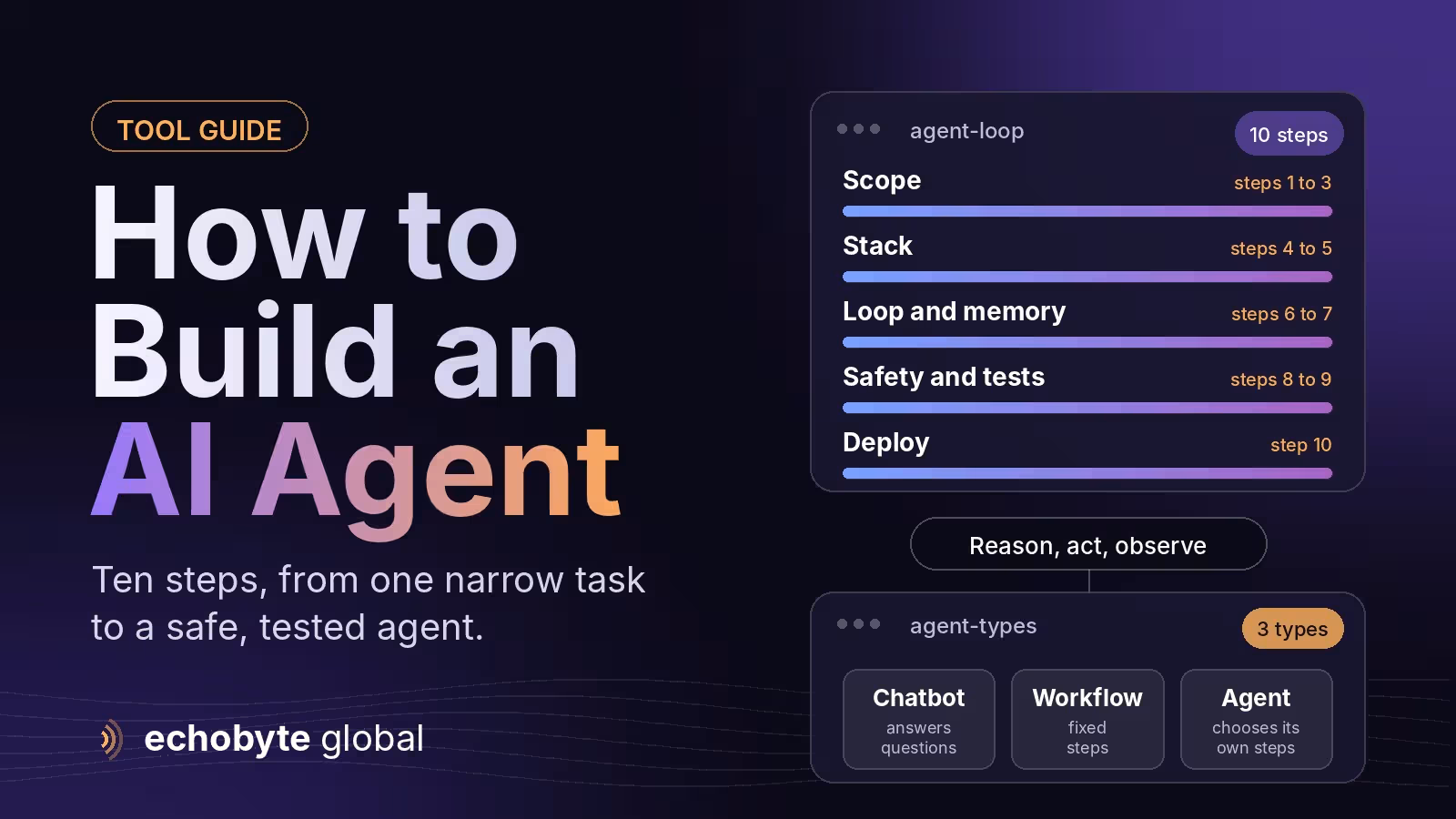
How to Build an AI agent, start with one narrow task, give a language model a small set of tools it can call, run it in a loop (reason, act, observe, repeat) with hard limits, and add logging, evaluation and human approval for risky actions before you widen its job. Most production failures are reliability and observability problems, not model quality problems, so much of the work is engineering around the model.
This guide covers what an agent is, whether you need one or a simpler workflow, the parts of the stack, ten build steps, how to choose a framework, common mistakes, security and cost. It is written so you can follow the path with or without writing code. Information was checked in November 2026, and tools in this area change quickly.
Key takeaways
- Start narrow. How to Build an AI Agent that does one job well, with clear success criteria, beats a general assistant that does many jobs badly.
- Many useful systems should be workflows first. Add agent-style decision making only where the path genuinely varies.
- Every agent is a loop of reasoning, tool calls and observations. Reliability comes from limits, logging and evaluation, not from a cleverer prompt.
- Give tools the least access they need, and require approval for irreversible actions.
- An agent is a system you operate, not a feature you finish. Plan for monitoring and improvement.
What is an AI agent?
An AI agent is software that uses a language model to decide which actions to take, calls tools to carry them out, checks the results and repeats until the task is done or a limit is reached. The difference from a chatbot is that an agent acts, for example by searching a database, updating a record or sending a message. That Helps to you How to Build an AI agents .
| Chatbot | Workflow | Agent | |
|---|---|---|---|
| What it does | Answers questions | Follows fixed steps, sometimes with AI at a step | Chooses steps and tools to reach a goal |
| Path | One reply per message | Predefined | Decided as it goes |
| Risk | Wrong answers | Predictable | Wrong actions, so it needs limits and approval |
| Best for | Support questions, drafting | Repeatable processes | Tasks where the route varies |
Do you need an agent, or is a workflow enough?
Choose a workflow when the steps are known and rarely change, such as “when a form arrives, enrich it, score it and add it to the CRM”. Choose an agent when the route depends on what it finds, such as researching a prospect, handling an unusual support request or triaging messy documents. Workflows are predictable and cheaper, agents are flexible, and one 2026 guide notes that most useful systems start as workflows and only become agents when the task genuinely needs it. Our Zapier vs Make vs n8n guide compares tools for workflow automation.
What does the agent stack look like?
| Layer | What it does | Common choices in 2026 |
|---|---|---|
| Model | Reasons and decides | Models from Anthropic, OpenAI and Google, plus smaller models for simple sub-tasks |
| Framework | Runs the loop, state and hand-offs | LangGraph, OpenAI Agents SDK, Claude Agent SDK, CrewAI, Pydantic AI, Vercel AI SDK |
| Tools | How the agent acts | Function calling and, increasingly, the Model Context Protocol (MCP) |
| Memory | What it remembers | The conversation context, plus a database or vector store for long-term facts |
| Guardrails and evaluation | Keep it safe and measure it | Approval gates, spend and step limits, test sets and logs |
How do you build an AI agent? Ten steps
- Pick one narrow job and a success measure. For example “qualify inbound leads and route them to the right salesperson”, measured by correct routing and time saved.
- Do the process by hand first. Write down the steps, the data used, the decisions made and where people get stuck. If you can’t describe it, an agent can’t do it.
- Decide workflow or agent. Use a fixed workflow for the predictable parts and let the model decide only where judgment is needed.
- Choose a model and a build path. Use a no-code tool such as n8n for simple cases, a framework for most custom builds, or your own loop if you need full control.
- Define a small set of tools. Give each tool a clear name, typed inputs and the least access it needs, such as read-only access to one table. Keep the list short, because more tools make the model’s choices harder. and its completely helps to you How to Build an AI Agent.
- Write the loop and the instructions. The loop is the same everywhere: send the model the conversation and tool definitions, run any tool it calls, return the result, and repeat until it finishes. Add a maximum number of steps and a clear stop condition.
- Add memory only where it helps. Short-term context is usually enough. Add stored memory for facts that must persist, and decide what the agent must never store.
- Add guardrails. Validate tool inputs, require human approval for risky or irreversible actions, set spend limits and block access to anything the job doesn’t need.
- Test and evaluate. Build a set of realistic test cases with known good outcomes, log every step of every run, and rerun the set after each change. Feed real failures back into the test set.
- Deploy and operate. Start with a small group of users or a human-in-the-loop mode, monitor cost, errors and outcomes, keep a fallback to a person, and version your prompts and tools.
Which framework should you use?
| Option | Good for | Trade-off |
|---|---|---|
| n8n or another no-code builder | Simple agents that connect many apps | Less control for complex logic |
| LangGraph | Branching, multi-step workflows with saved state | You build governance and evaluation yourself |
| OpenAI Agents SDK | Fast setup with OpenAI models, hand-offs and tracing | Tightest fit inside one vendor’s ecosystem |
| Claude Agent SDK | Sub-agents and long-running tasks | Newer and changing quickly |
| CrewAI | Quick multi-agent prototypes | Less low-level control as things grow |
| Pydantic AI or Vercel AI SDK | Typed tools and structured output, including in TypeScript | Smaller ecosystems |
| Your own loop | Full control and few dependencies | More code to maintain |
Frameworks and their features change often, so check each one’s current documentation. A common advice is to start with a framework’s high-level entry point and move to your own loop only when you need to.
What are the most common mistakes?
- Too much autonomy too soon. Start with approval on every action, then relax it where the data supports it.
- Skipping evaluation. Teams often spend effort on the framework and treat testing as an afterthought.
- Broad credentials. An agent with admin access turns small mistakes into large ones.
- No logs. Without a record of each step you can’t explain or fix failures.
- Too many tools. Long tool lists confuse the model and raise cost.
- Ignoring cost. Agent runs can use far more tokens than a single prompt, so set budgets and measure real runs.
How do you keep an agent safe?
Anything an agent reads can contain instructions, from a web page, an email or a document. This is called prompt injection, and it remains an unsolved security problem, so design for it. Give tools the least access they need, keep untrusted content separate from instructions where you can, require approval for payments, deletions and messages to customers, and log actions so you can audit them. Our AI browsers guide explains why hidden text on web pages is a risk for agents that browse.
What does it cost, and how long does it take?
A small workflow agent can be built in days, while a production agent with integrations, evaluation and monitoring takes weeks or months. Running costs depend on the model and the number of steps. One 2026 guide estimates a typical agent run at one to five cents, while other research found agentic tasks can use far more tokens than a single prompt, so cap steps and spend. Our AI agent development cost guide breaks down build budgets.
When should you buy or hire instead of building?
Build when the agent touches your own systems and data, or gives you an advantage. Buy when a product already does the job, such as a team assistant like ChatGPT Business or a vendor tool for a standard task. Hire help when you need integrations, security review or evaluation you can’t do in-house. Our guide to AI agents for small business shows nine use cases that work.
How can Echobyte help?
Our custom software service covers How to Build an AI agent and workflow automation, starting from $8,000 per project and typically taking 8 to 20 weeks, with a discovery workshop and phased fixed quotes. You own the code. We’d start with one narrow job, build it with guardrails and evaluation, and expand only when it works. See our pricing page for starting prices.
How to build an AI agent FAQ
Do I need to code to build an AI agent?
Not always. No-code tools such as n8n can build simple agents. Custom agents with integrations, evaluation and guardrails usually need developers.
What is the difference between an AI agent and a chatbot?
A chatbot answers questions. An agent decides on steps, calls tools and takes actions to reach a goal.
Which framework is best for AI agents?
It depends on your models, language and needs. LangGraph, the OpenAI Agents SDK, the Claude Agent SDK, CrewAI and the Vercel AI SDK are common options, and the field changes quickly. and its helps to you How to build an AI Agent.
How long does it take to build an AI agent?
A narrow prototype can take days. A production agent with integrations, testing and monitoring typically takes weeks to months.
How much does an AI agent cost to run?
It varies with the model and steps. A typical run may cost cents, but complex tasks use more, so set limits and measure real usage.
Are AI agents safe?
They can be, with limits. Use least-privilege tools, approval for risky actions, logging and testing, and design for prompt injection.
What should my first agent do?
A narrow, repeatable task with clear success measures and low risk, such as triaging inbound messages or drafting summaries for human review.
Not sure whether you need an agent, a workflow or a ready-made tool? We map your process and give you a fixed quote for the first phase, starting with a free discovery call.
Sources
- How to Build an AI Agent: A Developer’s Guide, Rasa
- How to Build AI Agents in 2026: A Practical Step-by-Step Guide, Skill Scouter
- How to Build an AI Agent: Tools, Memory, Guardrails, Olostep
- How to Build AI Agents: A Developer’s Guide in 2026, Scrimba
- How to Build an AI Agent: Beginner-Friendly Guide (2026), Dupple