On this page
The best animated websites use motion to guide attention, tell a story or explain a product, and they stay fast while doing it. Apple’s scroll-driven product pages, the WebGL worlds built by Lusion and Active Theory, and award-winning studio sites such as Uncommon Studio and By-Kin are the benchmarks in 2026. For most businesses, restrained motion such as reveals, hover states and page transitions delivers most of the benefit at a fraction of the cost of 3D.
This guide covers 14 examples, what to learn from each, the technology behind them, how to add animation without hurting SEO or accessibility, and what an animated website costs. The examples draw on School of Motion’s 2026 roundup and award results compiled by Awwwards juror Hon Tran, who built several of the sites he lists, so we mark which awards come from the builder. We did not build any listed site. We include our own site at the end with a clear disclosure. Sites change, so open each one yourself.
Key takeaways
- Great animated sites combine a clear art direction, directed motion and strong performance. Missing any one of the three caps the result.
- One idea per screen beats effects everywhere. Apple, Eszter Bial and Uncommon Studio show restraint working.
- 3D and WebGL sites are a premium engineering job. Typical award-level builds start around $8,000 and run far higher.
- Animation can hurt SEO and accessibility if it hides content, shifts layout or ignores reduced-motion settings.
- A single signature interaction on an otherwise fast page is a sensible starting point for a business site.
What makes a website animation great?
Three things at once: art direction, directed motion and performance. Hon Tran, who sits on the Awwwards jury, says the gap between a good site and a winning one lives in those three places. Art direction gives the site a point of view. Directed motion means choreography, where transitions carry meaning, rather than effects for their own sake. Performance means smooth motion on real mid-range phones, which most flashy sites fail.
Motion comes in several forms, with different costs and risks:
| Type of motion | What it does | Cost and risk |
|---|---|---|
| Microinteractions and hover states | Confirm clicks and add polish | Low |
| Scroll-triggered reveals | Pace a story as the page scrolls | Low to medium |
| Page and section transitions | Keep context between pages | Medium |
| Kinetic typography | Makes text the star of the design | Medium, needs careful readability |
| Cursor-reactive effects | Reward exploration | Medium, no equivalent on phones |
| WebGL and 3D | Immersive scenes and product views | High cost, high performance risk |
Which are the best animated websites in 2026?
| Site | Motion style | Built with (where sourced) | Best lesson |
|---|---|---|---|
| Apple | Scroll-driven product reveals | Not stated | One idea per screen |
| Lusion | Mouse-reactive 3D scene | WebGL, Three.js | 3D that stays usable |
| Active Theory | Full-screen WebGL and choreographed transitions | WebGL | Pacing and anticipation |
| Iventions | Spotlit 3D storytelling | Next.js, headless WordPress, Three.js, GSAP | 3D for atmosphere, not spectacle |
| Minh Pham | Image transitions on WebGL | GSAP, Three.js | 3D that frames the work |
| BDSN Club | Experimental interactive pieces | Not stated | Willingness to experiment |
| Epic | Typography that shifts on scroll | Not stated | Let type lead |
| Mat Voyce | Kinetic typography | Next.js, GSAP, Strapi | Motion that never blocks reading |
| By-Kin | Weighted smooth scroll, quiet transitions | Next.js, GSAP, Strapi | Restraint reads as premium |
| Uncommon Studio | Staggered grid and smooth transitions | Next.js, GSAP, Strapi | Rhythm and timing |
| Unseen Studio | Animated full-screen navigation | Not stated | Make navigation an experience |
| Rive | Characters that react to scroll and cursor | Rive | Show the product’s value instantly |
| Dropbox Brand Guidelines | Animated brand examples | Not stated | Teach with motion |
| Eszter Bial | Minimal, polished reveals | Not stated | Restraint |
Scroll-driven product storytelling
Apple. School of Motion calls Apple the gold standard for premium web animation. Its iPhone and MacBook pages use cinematic scroll animation, with 3D product renders rotating as you scroll and each feature getting its own moment. Apple gives a single message the whole viewport. What to learn: one idea per screen, and obsessive attention to performance so it runs on older devices.
Immersive WebGL and 3D
Lusion. A creative studio whose site is built around WebGL and Three.js. An abstract 3D environment responds to your mouse and morphs as you scroll, revealing projects. Hon Tran calls Lusion one of the most influential WebGL and shader studios. What to learn: how to integrate 3D with a normal layout so the case studies stay readable.
Active Theory. Known for immersive experiences for big brands. The portfolio is a full-screen WebGL experience with choreographed project transitions and scroll-triggered reveals. Hon Tran describes the studio as a reference for production-grade 3D on the open web. What to learn: pacing, and revealing information at the right moment.
Iventions. An events and spaces company whose site treats each project like a spotlit installation. According to the developer who built it, it uses Next.js and React with a headless WordPress CMS, plus Three.js and GSAP, and won a CSS Design Awards Website of the Month and an Awwwards Site of the Day. What to learn: WebGL used for atmosphere, on a stack that business teams can edit. Our headless WordPress guide covers the same approach.
Minh Pham. A designer’s portfolio that, per its developer, won an Awwwards Site of the Day with a developer score of 7.77. GSAP drives the motion, and Three.js and WebGL power the transitions between project images. What to learn: keep 3D from overwhelming the work it frames.
BDSN Club. A collective whose site is a playground of experimental pieces, from generative art that follows your cursor to 3D environments. School of Motion recommends it for sheer variety. What to learn: experiment on a small scale before committing a client site to a technique.
Typography and editorial motion
Epic. A digital innovation agency with bold typography that shifts as you scroll and choreographed case-study transitions. School of Motion praises the balance of experiment and clarity. What to learn: let type be the star.
Mat Voyce. A kinetic typography artist’s portfolio. According to its builder, it won an Awwwards Site of the Day and a GSAP Site of the Year 2025 nomination, using Next.js, GSAP and Strapi. Letters stretch, snap and recombine on scroll. What to learn: tune motion so it never blocks reading.
By-Kin. A UK studio site that, per its builder, won four awards, including Awwwards Site of the Day and a Developer Award. It uses Next.js, GSAP and Strapi, with editorial typography, weighted smooth scrolling and quiet transitions. What to learn: restraint can feel like a single continuous surface.
Studio sites
Uncommon Studio. An Australian design studio. School of Motion highlights a grid whose projects animate in with staggered timing, smooth page transitions and scroll-triggered case studies. Its builder reports an Awwwards Site of the Day, a Developer Award and an FWA. What to learn: rhythm. Stagger animations without making the page feel chaotic.
Unseen Studio. Bold typography and cursor interactions. Hovering over the logo opens a full-screen navigation with animated project previews, and thumbnails scale and reveal on hover. What to learn: navigation can be part of the experience, as long as people can still find things.
Interactive brand and restraint
Rive. The animation tool’s own site has playful characters that respond to scroll position and the cursor. What to learn: use motion to explain your value in the first few seconds.
Dropbox Brand Guidelines. Animated examples show how brand elements work in motion instead of static rules. What to learn: animation can teach, which suits design systems and onboarding.
Eszter Bial’s portfolio. A minimal portfolio with clean transitions and elegant timing. School of Motion’s point is that every animation earns its place. What to learn: thoughtful timing and easing often beat spectacle.
What do these sites have in common?
Almost every site above keeps motion tied to a purpose: guide the eye, show a product, build a mood or teach. Hon Tran suggests a simple test to read any animated site like a juror:
- Kill the motion in your head. Is the static frame still strong?
- Throttle the device. In Chrome DevTools, slow the CPU and network and see whether it stays smooth.
- Watch the transitions. Quality lives between states, such as page to page and hover to active.
- Check the reduced-motion path. Turn on the setting and see whether the site degrades gracefully.
How do you add animation without hurting SEO and speed?
Keep your content in the HTML, keep your layout stable, and respect reduced-motion settings.
- Keep text and links in real HTML. Do not draw headings or body copy inside a canvas or image. A WebGL scene is not text, so search engines and screen readers cannot read it.
- Do not hide the main content behind an animation. Let the hero text and image appear quickly so Largest Contentful Paint stays under Google’s 2.5-second limit.
- Animate cheap properties. Transforms and opacity are far cheaper for the browser than animating layout properties such as width or margin.
- Prevent layout shift. Reserve space for animated elements so Cumulative Layout Shift stays under 0.1.
- Protect responsiveness. Interaction to Next Paint should stay under 200 ms, so avoid heavy scripts on load and defer 3D scenes below the fold.
- Respect
prefers-reduced-motion. Offer a calm version for users who ask their device to reduce motion. WCAG 2.3.3 covers animation triggered by interactions. - Give users control of auto-playing motion. Under WCAG 2.2.2 (Level A), moving or auto-updating content that starts automatically and lasts more than five seconds needs a way to pause, stop or hide it.
- Avoid flashing. WCAG 2.3.1 limits flashing content to protect people with photosensitive epilepsy.
- Test on real phones. A mid-range Android device on a slow connection shows problems your laptop hides.
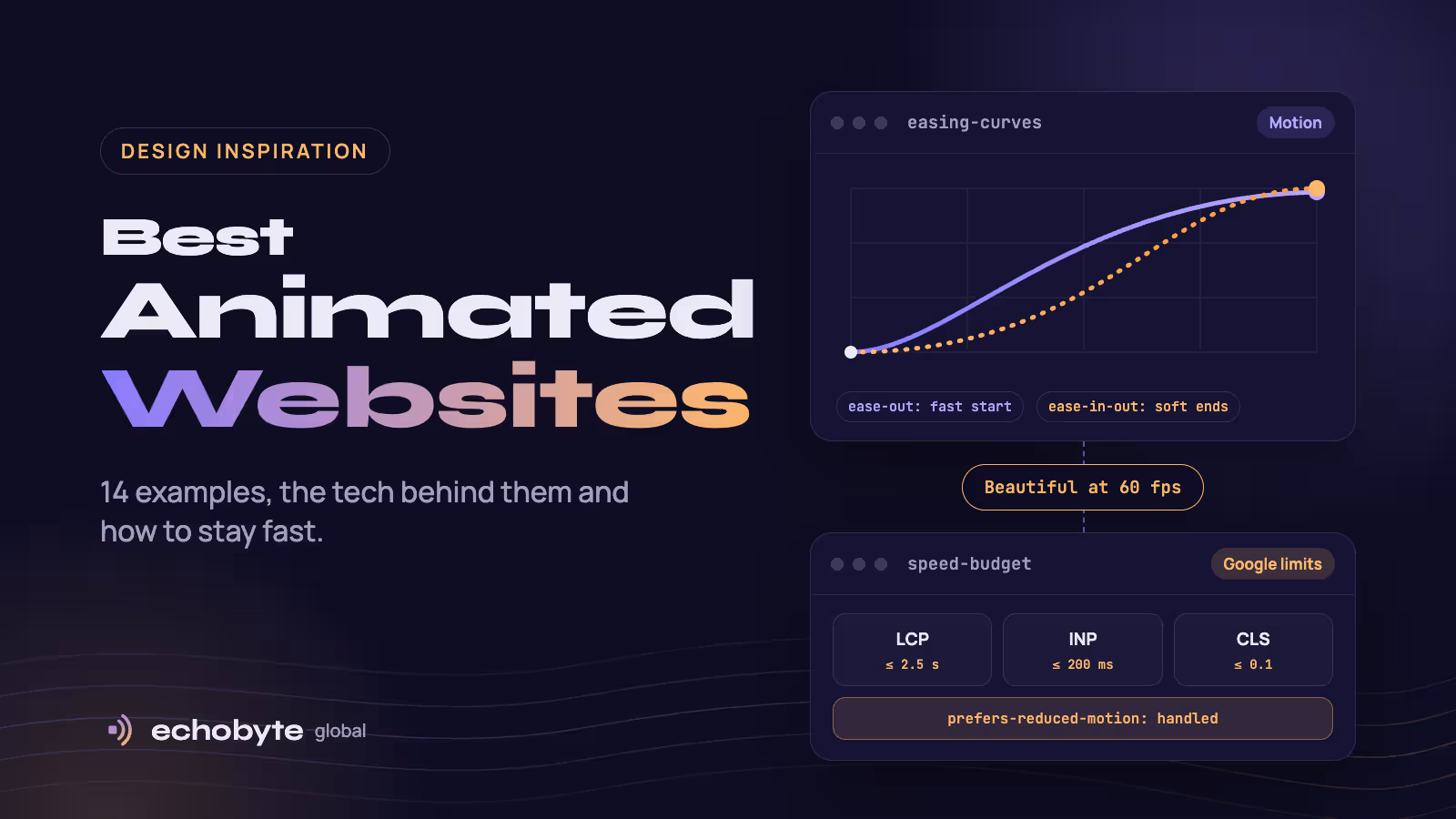
Google’s Core Web Vitals thresholds are LCP of 2.5 seconds or less, INP of 200 milliseconds or less and CLS of 0.1 or less, measured at the 75th percentile of visits. Our mobile-first design guide explains how to design for phones first.
Which tools build web animation?
| Tool | What it does | Good for |
|---|---|---|
| CSS transitions and animations | Built-in browser animation | Hover states, simple reveals |
| GSAP | A JavaScript animation library with scroll tools | Scroll storytelling, complex timelines |
| Motion (Framer Motion) | An animation library for React | Component animation in React and Next.js apps |
| Lottie | Plays vector animations exported from design tools | Icons and small illustrations |
| Rive | A tool for interactive, state-driven animations | Characters and UI that react to input |
| Three.js | A WebGL library for 3D | 3D scenes and product views |
| Lenis | Smooth scrolling | Often paired with GSAP on motion-led sites |
The award-winning sites above mostly use GSAP, often with Three.js. Check each tool’s current license and documentation before you commit.
How much does an animated website cost?
From a few hundred dollars for a template to $30,000 or more for a premium, motion-led build. Published ranges:
| Type of build | Typical cost | Source |
|---|---|---|
| DIY with animation features in a builder | About $7 to $30 a month for tools | Animation Addons |
| Freelancer, focused animated site | About $1,500 to $3,000+ | Hon Tran |
| Freelancer or small studio, premium portfolio | About €4,000 to €9,000 | Kolonell |
| Flagship design-and-build with WebGL and custom motion | $8,000+ | Hon Tran |
| Agency, premium portfolio or marketing site | About $3,000 to $30,000+; €10,000 to €25,000 | Animation Addons, Kolonell |
Sources: Hon Tran, Kolonell and Animation Addons. Hon Tran, a creative developer, says the cost driver is choreography, not the library. A landing page with tasteful reveals costs a fraction of a pinned, scrubbed, WebGL narrative. Our website redesign cost guide and website timeline guide cover the rest of the budget.
Do you need an animated website?
Yes, if motion helps people understand or remember what you sell. No, if it only decorates. We found no solid independent data showing that heavy animation lifts conversions, so treat claims with caution and test your own site.
| Your situation | Good fit |
|---|---|
| A product with a story to tell (hardware, software, a process) | Scroll-driven reveals and short product animation |
| A design, film or brand studio | Motion-led portfolio, within a speed budget |
| A local service business or online store | Restrained motion: reveals, hover states, clear calls to action |
| A site where speed and search traffic matter most | Light motion, and measure Core Web Vitals |
| Documentation or text-heavy content | Minimal motion |
Use analytics to compare engagement and conversions before and after adding motion.
Where can you find more animated website inspiration?
- Awwwards has an animation category of award-winning sites.
- CSS Design Awards has a gallery of sites tagged with animation.
- Made in Webflow lists animation examples built in Webflow.
- Dribbble collects animated website concepts.
- landing.love curates landing page inspiration.
What does Echobyte’s own site look like?
We are including our own site, so weigh this one accordingly. Echobyte Global is not an experimental WebGL showcase, and we do not claim it belongs next to the studios above. The first screen has one signature interaction: it invites you to tap anywhere to send an echo, which ties the motion to our idea of building digital products and then making sure they are heard. The page then moves on to plain, scannable sections. The site runs on Next.js, with blog content managed in headless WordPress and images served in a modern format.
Judge it by the criteria in this guide: a readable first screen, motion that supports the message, and a fast, clean experience on your phone. For a services business, that is usually the right trade-off.
How do we approach animated websites at Echobyte?
Our web development service starts from $1,500 per project and typically takes 3 to 6 weeks. We build on Next.js, React, TypeScript and Tailwind CSS, tune images, fonts and code for strong Core Web Vitals, and design in wireframes before full screens, with weekly demos on a live staging link. Our UI/UX design service covers the interface and interaction design.
We are not a WebGL showcase studio. If you need an Awwwards-style 3D experience, a specialist creative developer may be the better fit. For most business sites we recommend a few well-chosen interactions that stay fast, and we will tell you if more motion would not help. See our pricing page for starting prices.
Best animated websites FAQ
What are the best animated websites?
Commonly cited examples include Apple’s product pages, Lusion, Active Theory, Epic, Unseen Studio, Uncommon Studio, By-Kin, Mat Voyce, Rive and Dropbox’s brand guidelines. They use scroll-driven reveals, kinetic typography, WebGL and carefully paced transitions.
What makes a good animated website?
A clear art direction, motion that serves a purpose, and strong performance. Good sites also respect accessibility settings such as reduced motion.
How do you make an animated website?
Start with CSS for hover states and simple reveals, then add a library such as GSAP or Motion for scroll storytelling. Use Three.js only when 3D is the point. Test speed and accessibility as you go.
Do animations hurt SEO?
They can, if they hide text, delay the main content, shift the layout or slow interaction. Keep content in HTML, keep Core Web Vitals within Google’s limits and test on mobile.
How much does an animated website cost?
Simple animated sites start around $1,500 to $3,000. Flagship builds with WebGL and custom motion start around $8,000, and premium agency projects reach $30,000 or more.
Are animated websites accessible?
They can be. Respect the prefers-reduced-motion setting, give users a way to pause auto-playing motion longer than five seconds, and avoid flashing content.
Which tool is best for website animation?
GSAP is the most common choice on award-winning sites, often with Three.js for 3D. CSS handles simple effects, Motion suits React apps and Rive suits interactive characters.
Where can I find animated website inspiration?
Awwwards, CSS Design Awards, Made in Webflow, Dribbble and landing.love all have animation galleries.
Want a site that moves with purpose and stays fast? We design, build and launch websites and storefronts, and every project starts with a free discovery call and a fixed quote.
Sources
- 10 Websites with Great Animation in 2026, School of Motion
- 10 Best Award-Winning Websites of 2026 (Judged by a Juror), Hon Tran
- How Much Does an Animated Website Cost? (2026 Guide), Hon Tran
- Creative agency portfolio website cost in London 2026, Kolonell
- Animation Website Cost in 2026, Animation Addons
- Core Web Vitals, Google web.dev
- Animated Content and Timing, Yale University Usability and Accessibility
- Animation, Motion Sensitivity, and Web Accessibility, Passiro