On this page
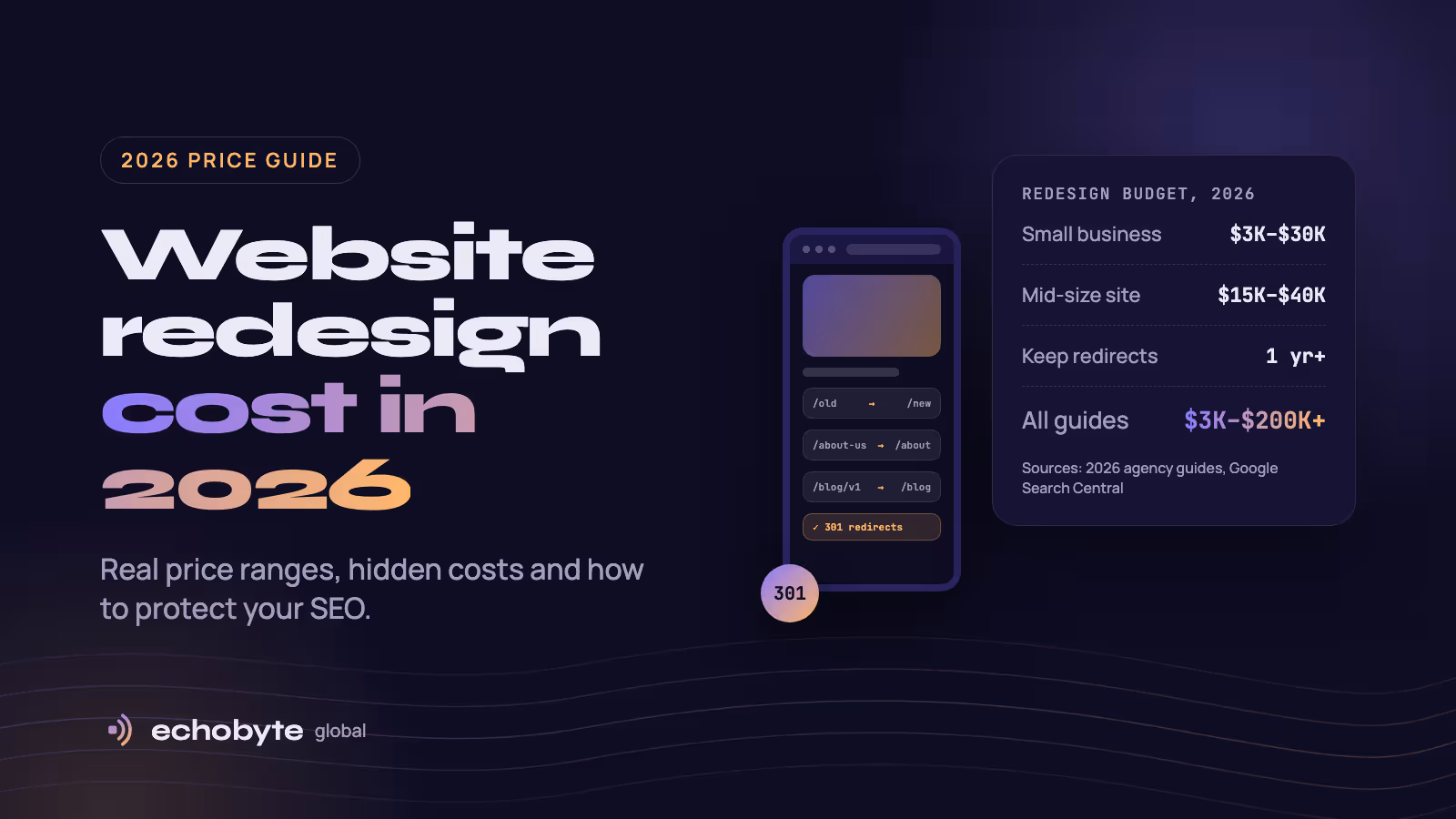
A website redesign costs roughly $3,000 to $30,000 for a typical small business site, and $40,000 or more for a large or custom one. Published 2026 guides stretch from $3,000 to $200,000+ because they price very different projects. The number that matters is the one for your scope, and the line most quotes skip is protecting the search traffic your current site already earns.
We compared four 2026 cost guides, explain why they disagree, and break down what drives the bill and what it hides. Then we cover how to redesign without losing your Google rankings. We build and redesign WordPress, Shopify and Next.js websites, so we also show how we price the work.
Key takeaways
- Small business redesigns usually fall between $3,000 and $30,000. Mid-size sites run about $15,000 to $40,000.
- Guides disagree because they bundle different work: new copy, integrations, marketing and platform changes.
- A redesign can cost you search traffic. Google expects ranking swings after a big change, and permanent redirects from old URLs to new ones protect your link value.
- Budget for upkeep after launch. Most small business sites cost $50 to $1,000 a month to maintain, as our website maintenance cost guide explains.
What counts as a website redesign?
“Redesign” covers three very different jobs, and the price and SEO risk rise with each one.
| Level | What changes | SEO risk |
|---|---|---|
| Refresh | Colors, fonts, imagery and homepage layout. Same pages, URLs and platform. | Low |
| Redesign | New layouts and page templates, restructured navigation, rewritten content. Same platform. | Medium |
| Rebuild or replatform | A new platform or CMS (for example WordPress to Next.js or Shopify) plus a new design. | High |
Ask every agency to quote the level you actually need.
How much does a website redesign cost?
For most small businesses, a redesign costs $3,000 to $30,000. Mid-size sites run $15,000 to $40,000, and large or custom sites start around $40,000. Here is what four popular 2026 guides say.
| Guide | Full range | Small business figure |
|---|---|---|
| Tenet | $3,000 to $160,000+ | $3,000 to $15,000 for 5 to 15 pages |
| Design Studio UI/UX (updated August 2026) | $3,000 to $75,000 | $5,000 to $30,000 for a small, simple site |
| Innowise (updated August 2026) | $10,000 to $200,000+ | $10,000 to $25,000 for a basic redesign |
| Teamvoy | $3,000 to $120,000+ | From about $5,000 |
Tenet also breaks prices down by site size.
| Site size | Typical range | What you usually get |
|---|---|---|
| 5 to 15 pages | $3,000 to $15,000 | Template-based or lightly customized design, standard forms, a simple blog |
| 15 to 50 pages | $15,000 to $40,000 | Semi-custom design, clearer structure, CRM and email integrations |
| 50 to 100 pages | $40,000 to $80,000 | Fully custom UI/UX, ecommerce or portals, advanced SEO |
| 100+ pages | $80,000 to $160,000+ | Bespoke architecture, deep integrations, high-traffic performance |
Why do website redesign cost guides disagree?
They price different projects. Four things explain most of the gap:
- Scope differs. One guide’s “basic” redesign is another guide’s minimum. Tenet’s tiers run from template-based sites to enterprise platforms with custom architecture.
- Some totals include marketing. Design Studio UI/UX’s total for a site of up to 50 pages ($15,000 to $29,000) adds new copywriting and a month of optional marketing to the design and build.
- Hourly rates differ. Tenet puts agency rates at $100 to $250 an hour and notes that freelancers quote far less. Design Studio UI/UX cites $20 to $100 an hour for typical professionals, up to $250 for the most experienced.
- Guides contradict themselves and go stale. Tenet gives $3,000 to $15,000 for small business redesigns in its highlights and $2,500 to $5,000 for a standard business site in its body. Design Studio UI/UX’s August 2026 update still calls its small agency rates 2024 pricing.
Before you compare quotes, compare what each one includes.
What drives website redesign cost?
Page count, custom design, content, integrations and SEO work move the price most. These ballparks come from Tenet’s 2026 breakdown. Treat them as agency-level prices, not fixed rates.
| Driver | Why it adds cost | Typical add |
|---|---|---|
| Pages and templates | Every page needs layout, content alignment and testing. Unique templates cost more than repeats. | $200 to $800 per standard page, $1,000+ per unique template |
| Content migration | Pages are moved, cleaned and restructured. | $100 to $300 per page by hand |
| New copy and visuals | Writing, photos and illustrations. | $3,000 to $15,000+ |
| Integrations | CRM, email, payments, booking. | $1,000 to $3,000 basic, $10,000 to $30,000+ complex |
| Custom features | Calculators, booking systems, dashboards. | $2,000 to $10,000 basic, $20,000+ advanced |
| SEO and technical work | Redirects, metadata, Core Web Vitals. | $2,500 to $8,000+ |
Content is the line people underestimate. LowCode Agency says it accounts for 20% to 40% of the total on content-heavy sites. Staying on your current platform also costs less than changing it, because nothing has to be rebuilt underneath the new design.
What are the hidden costs of a redesign?
Watch for these items that headline quotes often leave out:
- Copy cleanup and rewriting. Old pages rarely fit a new design as they are.
- Stock photos and video. Tenet estimates $15 to $50 per photo and $30 to $200 per video clip, which can reach $500 to $2,000 for a mid-sized site.
- Tool subscriptions. Plugins and SaaS tools run $20 to $350 a year each, and often $200 to $1,000 a year combined.
- Hosting and speed. Managed hosting typically costs $25 to $150 a month.
- Training. Your team needs time to learn a new CMS.
- Analytics setup. Tracking that breaks at launch makes it impossible to judge the redesign.
- SEO migration. Redirect mapping, testing and monitoring take hours. Ask whether they are in the quote.
- Maintenance after launch. Updates, backups and security cost $50 to $200 a month for small sites. See our maintenance cost guide.
Will a website redesign hurt your SEO?
It can, but it doesn’t have to. A redesign changes what search engines use to understand your pages: URLs, layout, copy, headings and internal links. Google’s site move guidance says to expect ranking fluctuations after any significant change, and that a medium-sized site can take a few weeks or more for Google to switch fully to the new URLs. It also says permanent redirects such as 301s don’t cause a loss of link value (PageRank), and that you should change one thing at a time. Moving the domain, the CMS and the layout together multiplies the risk. Google’s Change of Address documentation adds that combining a move with a redesign of content and URL structure will probably cost some traffic while Google reassesses the pages.
How big is the dip? We found no rigorous study. One agency guide estimates drops of up to about 40% for poorly planned redesigns. Salt Agency says small dips of 5% to 10% are common, and that a sudden fall of 30% to 50% usually points to a technical mistake, such as pages accidentally blocked from indexing, rather than the new design itself. Treat these as rules of thumb, not guarantees.
Google’s AI features draw on the same Search index, so protecting rankings also protects your visibility in AI answers. Our AI search optimization guide covers that side.
How to redesign without losing rankings
- Benchmark first. Before anything changes, export your top pages, rankings, backlinks and conversions from Search Console and analytics. Start your URL list with your sitemap, your most visited pages and your most linked pages.
- Keep URLs where you can. A URL that doesn’t change needs no redirect and carries no risk.
- Map every old URL to its closest new page. Keep a spreadsheet of old URL, new URL and status code. Use permanent server-side redirects (301 or 308) straight to the final page, and keep chains short, ideally three hops or fewer. For small and medium sites, Google recommends moving all URLs at once.
- Don’t send everything to the homepage. Google warns that mass redirects to one irrelevant page can be treated as soft 404 errors. If a page is gone for good, return a 404 or 410.
- Protect pages that rank. Keep the copy, headings, title tags, internal links and structured data that earn your rankings. Change them on purpose, not by accident.
- Remove staging blocks at launch. Delete any
noindextags or robots.txt rules you used during development. Google lists these among the most common migration mistakes. - Test, then submit. Check redirects with the URL Inspection tool or a crawler, update canonicals and internal links, and submit the new sitemap in Search Console. Make sure your server can handle the extra crawling Google does after a move.
- Monitor and keep the redirects. Watch Search Console and analytics for several weeks, and keep redirects live for at least a year.
An example redirect map:
| Old URL | New URL | Code | Note |
|---|---|---|---|
| /services.html | /services | 301 | Same page, cleaner URL |
| /blog/2019/seo-tips | /blog/seo-tips | 301 | Ranking post keeps its content |
| /team-2018 | /about | 301 | Merged into one page |
| /summer-sale-2021 | None | 410 | Gone for good |
Redesign, refresh or rebuild: which do you need?
| Your situation | Best fit |
|---|---|
| The site ranks and converts but looks dated | Refresh |
| Navigation is confusing and pages convert poorly, but the platform is fine | Redesign on the same platform |
| The site is slow, hard to edit or can’t do what you need | Rebuild or replatform |
| Search traffic matters and you want a new platform and a new design | Do it in phases: move first, redesign later |
| You like the WordPress editor but want a faster front end | Consider headless. See our headless WordPress guide |
How do you get an accurate redesign quote?
A quote is only as good as the brief behind it. Send every agency the same information:
- Your current URL, platform and rough page count
- Your goals, such as more leads, more sales or faster pages
- The pages that bring in search traffic and must be protected
- Who writes the new content, you or the agency
- Systems the site must connect to, such as a CRM, payments or booking
- Your deadline and a budget range
- Two or three sites you like, and what you like about them
Watch for these red flags:
- A price without looking at your site. A serious team audits first.
- No mention of redirects or SEO migration. It is a real cost, and leaving it out makes a quote look cheaper than it is.
- Open-ended hourly billing. Hourly work is fine with an estimate and a cap.
- Unclear ownership. You should own the code, designs and accounts once you’ve paid. At Echobyte, you do.
How do we price a redesign at Echobyte?
Every project starts with a free discovery call and ends with a fixed quote, so the price doesn’t change unless the scope does. These are our published starting points:
| Package | From | What it includes |
|---|---|---|
| Launch | $1,500 | Up to 5 custom-designed pages, responsive build, on-page SEO setup, analytics, 30 days of support |
| Growth site | $3,500 | Up to 12 custom pages, CMS and blog, Core Web Vitals optimization, 60 days of support |
| Product | $8,000 | Web or mobile app, UI/UX for every screen, accounts, payments, admin panel, 90 days of support |
For a redesign, we audit your current site, keep what works and set up redirects so you don’t lose search rankings. You approve wireframes and every page before we write code, and you see weekly demos on a live staging link. A marketing website usually takes three to six weeks. These are starting prices, so more pages, custom features, new copy and integrations raise them, as the guides above show. See our pricing page for details.
Website redesign cost FAQ
How much does it cost to redesign a website?
Most small business redesigns cost about $3,000 to $30,000, mid-size sites about $15,000 to $40,000, and large or custom sites $40,000 or more. The final price depends on page count, custom design, content, integrations and whether you change platform.
How much does a small business website redesign cost?
Published 2026 guides put it at $3,000 to $15,000 (Tenet), $5,000 to $30,000 (Design Studio UI/UX) or $10,000 to $25,000 for a basic redesign (Innowise). Our own packages start at $1,500 for up to five pages and $3,500 for up to twelve pages with a CMS.
Is it cheaper to redesign or build a new website?
It depends on what changes. A redesign that keeps your platform, content and URLs usually costs less and carries less SEO risk than a rebuild on a new platform. If the platform itself is slow or hard to edit, a rebuild can cost less over time than patching it.
How long does a website redesign take?
Most business websites take 4 to 8 weeks, and a marketing website with us usually takes three to six weeks. Larger sites, new copy and integrations add time. Our website timeline guide has a week-by-week schedule.
Will a website redesign hurt my SEO?
It can cause a temporary dip, and Google says to expect ranking fluctuations after a significant change. Mapping every old URL to a new one with permanent redirects, keeping content that ranks and removing staging blocks at launch keeps the risk low.
How often should I redesign my website?
Some guides suggest every two to three years. A better trigger is data: falling conversions, slow pages, a site that is hard to edit or a layout that doesn’t work on phones. A refresh can often fix those without a full rebuild.
Can I redesign my website myself?
Yes, for a simple builder site. Guides put DIY redesigns at roughly $100 to $5,000 including templates and tools. The main risk is skipping redirects and losing rankings, so if your site brings in leads or sales from Google, get help.
Planning a redesign? Our web development and SEO team audits your current site, protects what ranks and sends a fixed quote after a free discovery call.
Sources
- The True Website Redesign Cost in 2026, Tenet
- Website Redesign Cost in 2026: $3K–$75K Full Breakdown, Design Studio UI/UX, updated August 2026
- How to calculate the cost of your website redesign, Innowise, updated August 2026
- The Real Website Redesign Cost in 2026, Teamvoy
- How to move a site, Google Search Central
- Change of Address tool, Google Search Help
- Why your organic traffic dropped after your website redesign, Salt Agency
- Why 80% of Website Redesigns Fail, Lollypop Design (agency estimate)
- How Much Does a Website Redesign Cost?, LowCode Agency, July 2026
- How Much Does a Website Redesign Cost in 2026?, 310 Creative