On this page
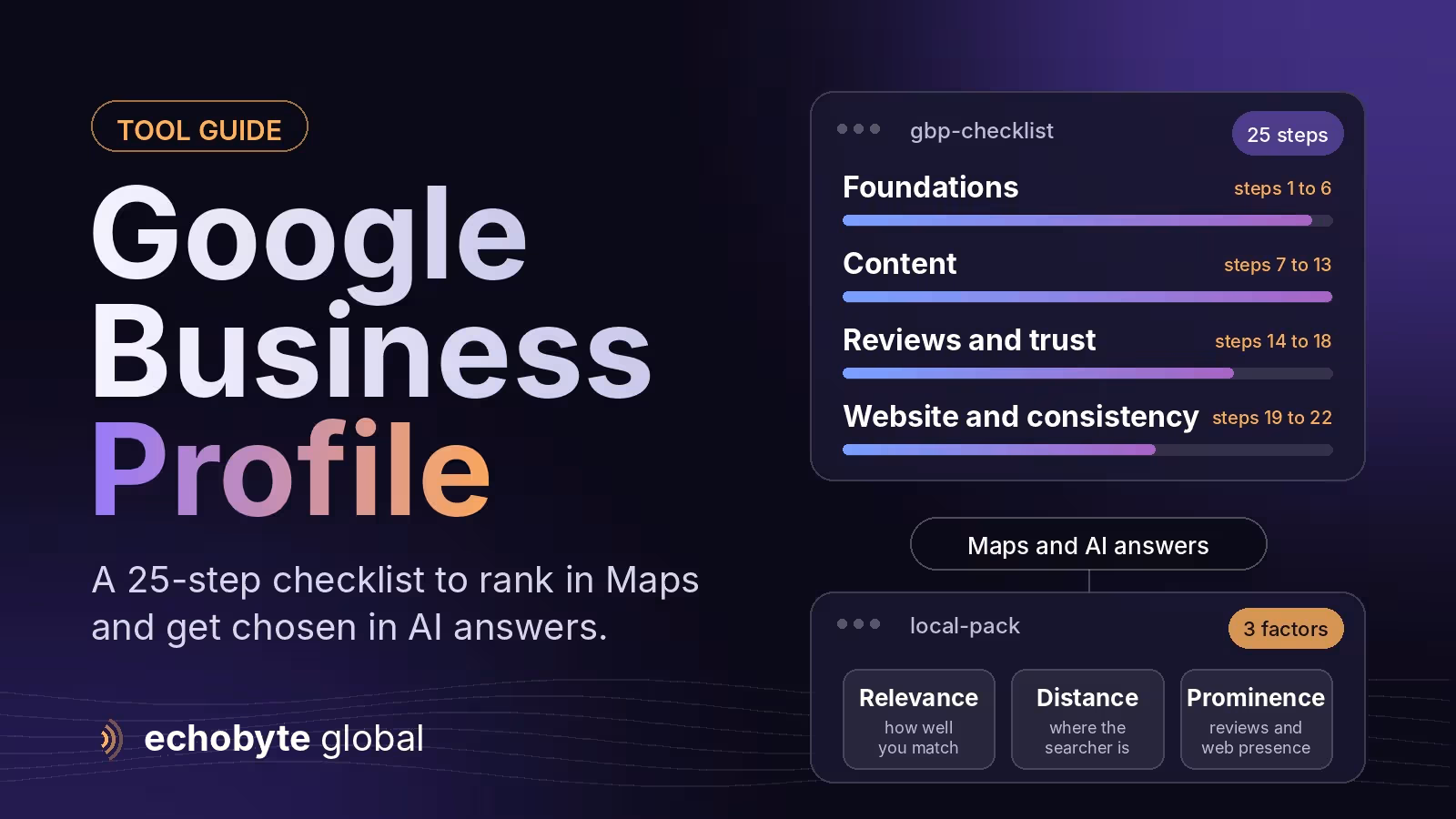
Google Business Profile optimization is the work of making your profile complete, accurate and trusted so it shows up in Google Maps and the local pack for the searches that matter to you. In practice it comes down to 25 steps: choose the right primary category, keep your name, address and hours accurate, list your services clearly, earn and answer reviews, keep photos fresh, and make your website match your profile. Google says local results are based on relevance, distance and prominence. Whitespark’s 2026 survey of 47 local SEO experts ranked the primary category as the single strongest factor and put profile signals at roughly a third of local-pack influence. Those are expert opinions, not Google’s own weights, and you can’t change how far away a customer is, but you can control most of the rest.
This checklist explains how local ranking works, what changed in 2025 and 2026 (Q&A is gone and AI answers have replaced it), the 25 steps, how to prepare for AI answers, what causes suspensions and how to measure results. Information was checked in November 2026. Google changes Business Profile often, so check its current guidelines before making big changes.
Key takeaways
- Google ranks local results on relevance, distance and prominence. You can’t change distance, so category, completeness, reviews and website signals matter most.
- Your primary category is the strongest single signal in Whitespark’s 2026 survey. Pick the most specific match for your main service, then add secondary categories.
- Google phased out Q&A from December 2025 and replaced it with an AI-powered Ask feature that draws on your profile, reviews and more, so accurate content everywhere matters more.
- Reviews are a ranking and trust factor. BrightLocal’s 2026 survey found 97% of consumers read reviews and 41% always do.
- Follow Google’s rules: use your real business name, never fake reviews, and hide your address if you are a service-area business. Over-optimizing can get a profile suspended.
How does Google decide who appears in the local pack?
Google names three factors: relevance, distance and prominence. Relevance is how well your profile matches the search. Distance is how far you are from the searcher or the place named in the search. Prominence is how well known you are, based on reviews, links and mentions across the web. Practitioner surveys break this down further. The Whitespark 2026 Local Search Ranking Factors survey asked 47 experts to score 187 factors, and summaries of it report the following.
| Group of signals | What it covers | Rough weight experts give it |
|---|---|---|
| Google Business Profile signals | Primary category, secondary categories, services, completeness, name | About 32% of local-pack influence |
| Review signals | Quantity, recency, velocity, rating, replies | About 16% to 20%, and rising |
| Website signals | Service pages, local content, links | The biggest group for local organic results |
| Citations and mentions | Directory listings with a consistent name, address and phone | Smaller for the local pack, larger for AI visibility |
| Behavior signals | Clicks, calls, direction requests | Smaller, but growing |
Percentages differ between summaries because they round and group factors differently, so treat them as direction, not exact values. See StoreRocket’s summary and Google’s own local ranking tips.
What changed in Google Business Profile in 2025 and 2026?
- Chat is gone. Google discontinued Business Profile chat on July 31, 2024, so customers reach you by phone, forms and your website.
- Q&A is gone, and AI answers replaced it. Google discontinued the Q&A API on November 3, 2025 and began removing the public Q&A section on December 3, 2025, replacing it with an AI-powered Ask button in Google Maps, according to Search Engine Roundtable. The AI answers draw on profile content, reviews and other sources.
- Review rules tightened. Reports in 2026 describe stricter limits on how businesses ask for reviews, including bans on naming staff in requests and on review kiosks. Check Google’s current review policy before running a campaign.
- Suspensions are up. Several local SEO firms report more suspensions in 2026, including for keyword stuffing in business names. These are agency reports, but the lesson is simple: don’t take risks with your name or address.
- Service-area rules are stricter. Google updated its service-area guidance in June 2025 to prohibit adding countries or states as service areas.
- AI is part of local discovery. A 2026 BrightLocal survey, as reported by agencies, found 45% of consumers use ChatGPT or other AI tools for local recommendations, up from 6% in 2025. Treat that as directional.
The 25-step Google Business Profile optimization checklist
Foundations (steps 1 to 6)
- Claim and verify your profile. Search for your business first so you don’t create a duplicate. Complete Google’s verification and keep ownership with an account your business controls.
- Choose the right business type. If customers visit you, show your address. If you travel to customers and they don’t visit your location, hide the address and list service areas. Google’s guidelines say service-area businesses should hide their address and use one profile for a central location.
- Use your real business name. Use the name on your signage and legal documents. Adding keywords or cities to the name is a common reason for suspension.
- Pick the best primary category. Choose the most specific category that matches your main service, then add secondary categories for your other services. Google allows several additional categories, so check the current limit.
- Enter accurate hours. Include holiday and special hours. Wrong hours cost calls and reviews.
- Add your phone number and website. Use a consistent local number, and link to the page that best matches your profile, usually the homepage for a single-location business.
Content (steps 7 to 13)
- Write a clear description. You have up to 750 characters. Say what you do, who you serve and where, in plain language, without links or promotional claims.
- List every service. Add each service with a short description. It helps relevance and answers customers’ questions.
- Add products if they apply. Retailers and restaurants can list products or menu items with photos and prices.
- Complete the attributes. Add the ones that apply, such as online appointments or wheelchair access, and keep them true.
- Upload real photos. Show your location, team, work and products. Skip stock photos, and add new ones regularly because customers see recent photos first.
- Add a logo and cover photo. Match your brand so people recognize you in results.
- Use posts and offers sparingly. Updates, offers and events keep the profile active and give customers a reason to click. Treat them as conversion tools, not ranking tricks.
Reviews and trust (steps 14 to 18)
- Ask every happy customer for a review. Use your Google review link or QR code and ask right after the job or visit. Don’t pay for reviews or only ask people you expect to be positive, because Google’s policies prohibit both.
- Reply to every review. Thank people, mention specifics and keep it short. Replies show prospects that you are active.
- Keep a steady flow. Recency and velocity rank well in expert surveys, so aim for a few reviews every month instead of one burst a year.
- Handle negative reviews calmly. Respond politely, offer to fix the problem offline and flag reviews that break Google’s policies. Never argue or offer money to remove a review.
- Encourage specific reviews. Ask customers to say what you did and where. Specific reviews help future customers, and AI answers draw on review text.
Website and consistency (steps 19 to 22)
- Link to the right page. For one location, link the homepage. For several locations, link each location’s own page with its address and phone.
- Build service pages that match your profile. Local SEO experts rate a dedicated page for each main service highly for organic local results. Make each page genuinely useful, not a thin template.
- Keep your name, address and phone consistent. Match your profile on your website, social profiles and main directories. In Whitespark’s findings, citations matter less for the local pack than for AI visibility.
- Add LocalBusiness structured data. Use the schema types that fit, include your service area and make sure the details match your profile.
Maintenance and measurement (steps 23 to 25)
- Make sure the phone gets answered. Calls are the main action for many local businesses, and missed calls lose jobs. See our HVAC answering service guide.
- Track results. Use the profile’s performance report for searches, calls, direction requests and website clicks. Add UTM parameters to your website link so analytics shows visits from your profile, for example
?utm_source=google&utm_medium=organic&utm_campaign=gbp. - Audit every quarter. Check for duplicate listings, edits suggested by users, changed categories, outdated photos and what Google’s Ask feature says about you.
How do you prepare for AI answers and Ask Maps?
Keep the sources the AI uses accurate. The Ask feature uses your profile content, reviews and other sources to answer customer questions in Maps. Control has moved from a public Q&A box to the information you maintain. To prepare:
- Keep every profile field complete and consistent with your website.
- Ask customers for detailed reviews that mention services and locations.
- Answer common questions in plain text on service pages or an FAQ.
- Test the questions customers ask and check what the AI says about you.
- If an answer is wrong, fix the underlying source rather than arguing with the AI.
Our AI search optimization guide explains how AI systems find and cite sources, and Is SEO dead? covers how search is changing more broadly.
What causes Google Business Profile suspensions?
- Keyword-stuffed or fake names. Use the name your customers see on your signage.
- Fake or virtual addresses. An address must be a place you actually work from.
- Showing a home address. If you don’t serve customers there, hide it and list service areas.
- Duplicate profiles. One profile should represent one location.
- Fake or incentivized reviews. These are prohibited and can lead to removal.
- Large changes all at once. Some agencies advise against changing the name, address and categories together on a profile that ranks well.
If your profile is suspended, read Google’s notice, fix the cause and appeal with proof such as a business license, signage photos and utility bills.
How long does it take to see results?
Fixing a wrong category or an incomplete profile can show effects within weeks. Reviews and prominence build over months, and your rank depends on distance and competition, so nobody can honestly guarantee a map-pack position. Track calls, direction requests and website clicks, not only rank.
How can Echobyte help?
Our SEO service starts from $600 a month with a technical audit, and we don’t promise rankings. Our HVAC SEO guide shows how a local service business gets found, our analytics service sets up call and UTM tracking, and our web development service builds the service pages your profile links to. See our SEO pricing guide for typical costs.
Google Business Profile optimization FAQ
What is Google Business Profile optimization?
It is making your profile complete, accurate and trusted so it appears in Google Maps and the local pack. It covers categories, services, hours, photos, reviews and the website your profile links to.
What is the most important Google Business Profile ranking factor?
In Whitespark’s 2026 survey of 47 experts, the primary category ranked first, with proximity to the searcher close behind. Reviews and website signals also matter.
How many reviews do I need?
There is no official number. Consumers weigh rating, recency and volume, so keep earning new reviews steadily.
Did Google remove the Q&A feature?
Yes. Google began phasing out public Q&A on December 3, 2025 and replaced it with an AI-powered Ask feature in Maps.
Should I hide my address on Google Business Profile?
Only if you are a service-area business that doesn’t serve customers at its address. Google’s guidelines say those businesses should hide the address and list service areas.
Do Google Business Profile posts help rankings?
Posts keep your profile active and can lead customers to act, but their effect on ranking is unclear. Treat them as a conversion tool.
How long does Google Business Profile optimization take?
Basic fixes can show effects in weeks, while reviews and prominence take months. Rankings also depend on distance and competition, so results can’t be guaranteed.
Want a second pair of eyes on your profile? We audit your profile and website together, and every project starts with a free discovery call.
Sources
- Tips to improve your local ranking on Google, Google Business Profile Help
- Google Removing Q&A Feature In Google Maps For AI-Powered Ask Button, Search Engine Roundtable
- Google Business Profile Q&A: what changed, BrightLocal
- Google tightens Maps review policy, PPC Land
- Local SEO ranking factors in 2026, StoreRocket, summarizing Whitespark’s 2026 survey
- Google Business Profile Q&A Removed in 2026, Slashpost