On this page
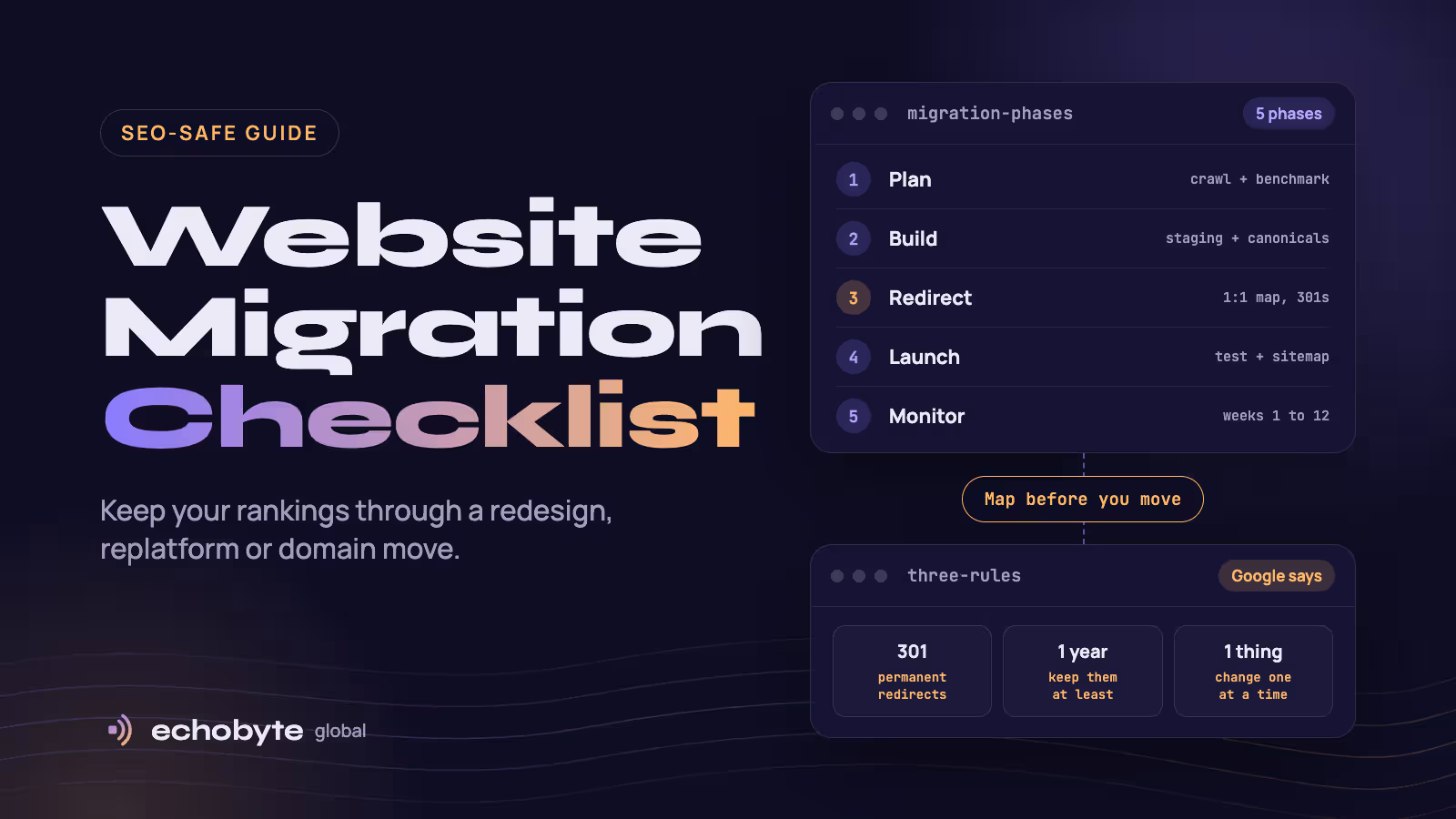
To migrate a website without losing SEO, map every old URL to a new one, redirect with permanent 301s, keep canonicals, sitemaps and robots rules correct, test before launch, and watch Search Console and server logs for weeks afterwards. Google says rankings can fluctuate temporarily during a move and that a small or medium site can take a few weeks for most pages to move. Well-run migrations usually recover within weeks, while sloppy ones can lose 20% to 60% of organic traffic for months, according to agency guides. The cause is almost always an incomplete redirect map. A migration usually costs $1,500 to $25,000 or more, depending on the platform and the number of URLs.
This checklist follows Google’s site move documentation, updated in August 2026, and adds the practical detail agencies learn the hard way. It covers every type of move, five phases of tasks, common mistakes, costs and when to hire help. We build and redesign websites, so we also say where a DIY move is fine. Prices were checked in November 2026.
Key takeaways
- The redirect map is the heart of the project. Every old URL that earns traffic or links needs a 1:1 destination.
- Use server-side 301 or 308 redirects, avoid chains, and never send many old pages to the homepage.
- Change one thing at a time where you can. Moving domain, CMS and design together multiplies the risk.
- Keep redirects for at least a year, and keep the old domain registered.
- Benchmark before you launch and monitor daily for two weeks, because problems caught early recover better.
What counts as a website migration?
Any change that alters URLs, platform, domain or infrastructure. Google’s guidance on URL changes covers HTTP to HTTPS, domain changes and URL path changes, and has a separate guide for hosting changes where the URLs stay the same.
| Type of move | Does it change URLs? | Main SEO risk | Change of Address needed? |
|---|---|---|---|
| HTTP to HTTPS | Yes | Mixed content, missing redirects | No |
| Domain or subdomain change | Yes | Largest risk, many signals move | Yes |
| URL structure or path change | Yes | Missing or wrong redirects | No |
| CMS or platform change | Usually | URL changes, lost metadata, JS rendering | No, unless the domain changes |
| Redesign with the same URLs | No | Lost content, links and speed regressions | No |
| Hosting or CDN change | No | Downtime, server capacity, slow pages | No |
Google says you only need the Change of Address tool when moving from one domain or subdomain to another, and not for HTTP to HTTPS, www to non-www, or moves within the same domain.
How much traffic do you lose in a migration?
It depends on how carefully the move is done, and sources disagree. Google’s only promise is that fluctuation is temporary and that 301 redirects do not cause a loss in PageRank. Agency estimates:
| Source | What it says |
|---|---|
| PandaCodeGen | Many clean migrations recover 90% to 95% of traffic within 30 days |
| Kolonell | A well-run move keeps the loss below 5%, and a botched one cuts organic traffic by 20% to 40% |
| WhiteHat SEO | A CMS change typically means a 10% to 30% temporary drop and 4 to 8 weeks to recover |
| Optimum7, via Mean CEO | Poorly executed ecommerce migrations lose 20% to 40% of organic traffic, with 6 to 12 months to recover |
These are vendor figures from different sites, so use them as ranges, not forecasts. A dip that recovers within several weeks is normal. A drop that persists beyond about four weeks means something is broken.
The website migration checklist
Phase 1: Plan (4 to 8 weeks before launch)
- Decide what you are moving. Domain, CMS, design, URLs or hosting. Google recommends changing only one thing at a time: for example, move the domain first and change the design later.
- Set a goal and a freeze. Agree what success looks like and freeze content edits on the old site shortly before launch.
- Benchmark everything. Export Search Console performance by page and query, analytics, rankings, backlinks and Core Web Vitals so you can compare afterwards.
- Crawl the old site. Use a crawler such as Screaming Frog to list every URL, status code, title, canonical and internal link. Include images, PDFs, videos, JavaScript and CSS files, since Google says those need moving too.
- Build one master URL list. Combine the crawl, your sitemaps, analytics or server logs, and the pages with links in Search Console. Mark top-traffic and top-linked pages as priority.
- Decide what stays, merges or goes. Keep what earns traffic, merge thin duplicates into stronger pages, and retire the rest.
- Verify Search Console for old and new. Verify every variant of both sites (http, https, www and non-www), and make sure your verification method carries over to the new platform.
- Pick the launch window. Choose a low-traffic period so fewer users are affected and more server capacity is free for Googlebot.
Phase 2: Build and prepare the new site
- Build on staging and block it. Keep the staging site out of Google with a password, noindex or robots rules, and prepare the list of what to remove at launch.
- Carry over on-page SEO. Titles, meta descriptions, headings, body copy, internal links, structured data and image alt text should move with each page.
- Set a self-referencing canonical on every page. Each new URL should point to itself. Update hreflang annotations to the new URLs if you run multilingual pages.
- Check rendering. Important content and links should appear in the HTML Google sees. Test key templates with URL Inspection, especially on JavaScript frameworks.
- Check speed and mobile. A slower or less usable page can undo the benefit of perfect redirects. Compare Core Web Vitals against your benchmark.
- Recreate tracking. Install analytics and tag manager, conversion events, consent settings and call tracking before launch, and note the launch date as an annotation.
- Prepare robots.txt and the new sitemap. Draft the final robots.txt and generate a sitemap of the new URLs.
- Handle removed content. URLs you retire should return 404 or 410 on the new site. Redirect merged pages to the consolidated page.
- Check server capacity. Google crawls a new site more heavily than usual after a migration because it follows the redirects, so make sure the server can handle it.
Phase 3: Build the redirect map
- Map each old URL to its closest new URL. One to one wherever possible. Redirect to the most relevant page, not the homepage.
- Use server-side 301 or 308 redirects. These signal a permanent move. Use 302 or 307 only for genuinely temporary moves.
- Avoid chains and loops. Redirect straight to the final destination. Googlebot can follow up to 10 hops, but Google advises keeping chains short, ideally no more than three.
- Normalize variants. Decide on one version of each URL (https, www or not, trailing slash, lowercase) and redirect the others.
- Cover images, PDFs and parameters. Media and downloads can carry traffic and links too.
- Test the map before launch. Run the full list through a crawler on staging and confirm each old URL ends at a 200 page in one hop.
Phase 4: Launch day
- Turn on the redirects. Push the server or CMS redirect rules live.
- Remove staging blocks. Delete noindex tags and robots.txt rules that only existed for the build, and confirm canonicals use the new URLs.
- Test redirects. Check key old URLs in URL Inspection and run the full list through a crawler to catch 404s, chains and wrong destinations.
- Submit the new sitemap. Add it in Search Console. You can keep the old URL sitemap for a while to watch Google process the redirects.
- Submit Change of Address if the domain changed. Do it for every verified variant of the old domain, even variants you do not use.
- Check tracking and key flows. Make sure analytics fires, forms submit, checkout works and phone numbers are clickable.
- Update links. Fix internal links, social profiles, Google Business Profile, email signatures and ad campaigns, and ask your highest-value linking sites to update theirs.
Phase 5: Monitor after launch
- Check daily for the first two weeks. Watch the indexing and crawl reports, 404 spikes, server errors and Googlebot activity in server logs.
- Watch both sitemaps. Indexed counts for the old URLs should fall while the new URLs rise.
- Compare against your benchmark weekly. Review clicks and impressions for priority pages for about three months.
- Fix problems fast. Repair wrong redirects, chains and missing pages as soon as you see them.
- Re-crawl after two to four weeks. Compare the crawl with your baseline for missing titles, canonicals and links.
- Keep the redirects. Google says to keep them for as long as possible, generally at least one year, and to keep the old domain registered.
If clicks have dropped more than about 15% after four weeks, run a comparative crawl and review the redirect map first.
What are the most common migration mistakes?
| Mistake | What happens | Fix |
|---|---|---|
| Redirecting many pages to the homepage | Google may treat them as soft 404s | Redirect to the closest relevant page |
| Leaving noindex or robots blocks from staging | New pages never get indexed | Add “remove staging blocks” to the launch checklist |
| Redirect chains and loops | Slower pages and diluted signals | Redirect straight to the final URL |
| Forgetting images, PDFs and other files | Lost image traffic and broken links | Include media and downloads in the map |
| Canonicals pointing to staging or old URLs | Google keeps the wrong version | Self-referencing canonicals on the live URLs |
| Changing domain, CMS and design at once | Problems are hard to diagnose | Stage the changes one after another |
| Not updating sitemaps | Slower discovery of new URLs | Submit the new sitemap on launch day |
| Dropping tracking | You cannot see what changed | Install and test analytics before launch |
| Server too slow for the extra crawl | Crawl errors and slow indexing | Check capacity before launch |
What does a website migration cost?
Typically $1,500 to $25,000, from a small like-for-like move to a large ecommerce replatform. Guides give these ranges:
| Type of project | Typical cost | Source |
|---|---|---|
| Simple host-to-host move, same URLs | $100 to $2,500 | Cloudways |
| Small like-for-like platform move | $1,500 to $6,000 | eSEOspace |
| Mid-market replatform | $8,000 to $30,000 | eSEOspace |
| WooCommerce to Shopify | $10,000 to $35,000+ | Webyking |
| Ecommerce migration at scale | $15,000 to $75,000 | eSEOspace |
| Enterprise replatform | $75,000 to $300,000+ | eSEOspace |
| SEO protection (redirect plan only) | About €800 to €3,000 | Kolonell |
Sources include eSEOspace, Webyking, Cloudways and Kolonell. Prices rise with URL count, integrations, languages and the number of products. SEO preservation is a small share of the total and the cheapest insurance you can buy. One guide puts the audit and redirect mapping at 10% to 15% extra. Our website redesign cost guide and ecommerce website cost guide cover the rebuild itself.
Should you do a migration yourself or hire help?
DIY is reasonable for a small site with few pages and little search traffic. Hire help when search brings in revenue.
| Your situation | Best approach |
|---|---|
| Under about 50 pages, few backlinks, same domain | DIY with this checklist |
| A blog or content site with years of ranking pages | Hire an SEO-aware developer |
| An online store with many products | Hire a specialist and budget for testing |
| A domain change or a merger of several sites | Hire a specialist |
| Search is your main source of leads or sales | Hire a specialist and benchmark first |
Start with an audit so you know what you stand to lose. Our SEO audit cost guide explains what to expect, and our SEO pricing guide covers ongoing support after launch.
How long does a migration take?
A simple like-for-like move can take a couple of weeks. A rebuild takes longer, since design and development come first. Our website timeline guide shows that most business sites take 4 to 8 weeks to build, and the redirect map and testing happen inside that schedule. After launch, plan for a few weeks of fluctuation and about three months of monitoring.
How do we handle migrations at Echobyte?
Our web development service starts from $1,500 per project and typically takes 3 to 6 weeks. When we redesign an existing site, we audit it, keep what works and set up redirects so you don’t lose search rankings. Launch includes final QA, redirects, analytics and go-live, with GA4 and Consent Mode v2 set up, and sitemaps, metadata and structured data ready from day one. We build on Next.js, Shopify and WordPress, and our headless WordPress guide explains the Next.js approach.
Our SEO service starts from $600 a month and includes a technical audit, with no ranking guarantee. If the site you are replacing already brings in traffic, tell us on the first call so the redirect map and the post-launch crawl are written into the scope. Our analytics service can set up the tracking you will compare against. A from-price describes a small site, and large or ecommerce migrations cost more. See our pricing page for starting prices.
Website migration checklist FAQ
What is a website migration checklist?
It is a list of tasks to move a site to a new platform, domain or URL structure without losing search rankings. The core tasks are mapping old URLs to new ones, setting up 301 redirects, keeping canonicals and sitemaps correct, testing and monitoring.
How do I migrate a website without losing SEO?
Benchmark your current performance, build a 1:1 redirect map, redirect with 301s, remove staging blocks at launch, submit the new sitemap, and monitor Search Console and server logs for several weeks.
Will migrating hurt my SEO?
Some temporary fluctuation is normal, as Google says. 301 redirects do not cause a loss in PageRank. Losses come from missing or wrong redirects, blocked pages, slower speed or lost content.
How long does traffic take to recover after a migration?
Google says a small to medium site can take a few weeks for most pages to move. Agency guides report 4 to 8 weeks for a well-run CMS change and months for a botched one.
Do I need the Change of Address tool?
Only when you move from one domain or subdomain to another. You do not need it for HTTP to HTTPS, www to non-www or path changes. Submit it for every verified variant of the old domain.
How long should I keep 301 redirects?
As long as possible, generally at least one year, according to Google. From a user’s perspective, consider keeping them indefinitely, and keep the old domain registered.
Can I redesign and migrate at the same time?
You can, but Google recommends changing one thing at a time. If you must combine them, keep URLs the same where possible and test more carefully.
How much does a website migration cost?
Most projects cost $1,500 to $25,000, from a small like-for-like move to a large ecommerce replatform. Enterprise projects cost far more.
Planning a move? We audit your current site, build the redirect map and launch with tracking in place, and every project starts with a free discovery call and a fixed quote.
Sources
- Site Moves and Migrations, Google Search Central, updated August 2026
- Website Migration Cost Guide: What to Budget in 2026, eSEOspace, August 2026
- Website Migration Cost in 2026, Webyking, May 2026
- Website Migration Cost in 2026, Cloudways
- Website Migration Without SEO Loss in 2026, Kolonell
- Will Migrating Hurt My SEO?, PandaCodeGen
- Website Migration SEO: The Complete 2026 Guide, WhiteHat SEO
- SEO Migration Traffic Loss Statistics (2026), Mean CEO